# Activate Connector on Hyperswitch
### Steps to activate connector on the Hyperswitch Control Center
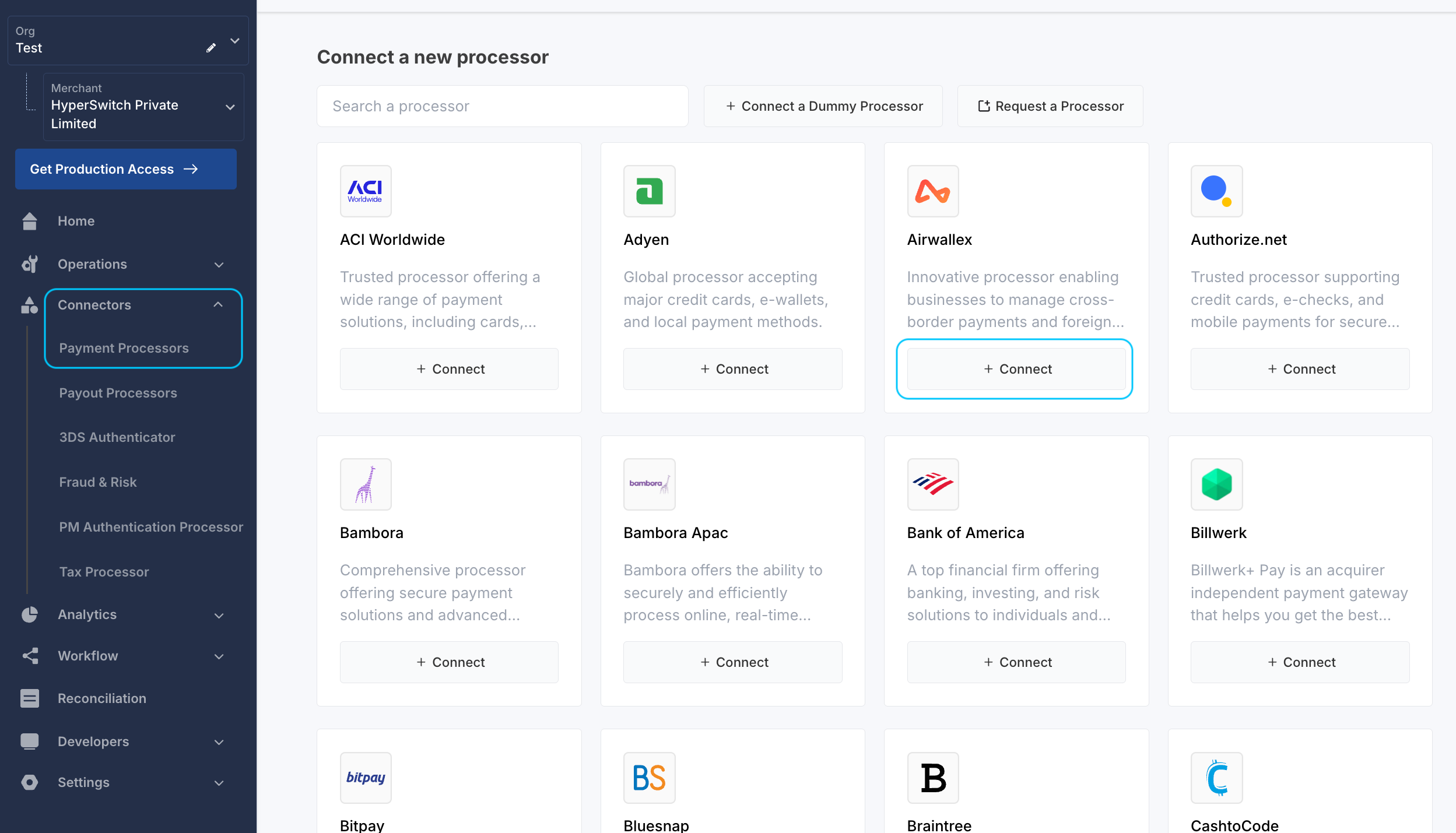
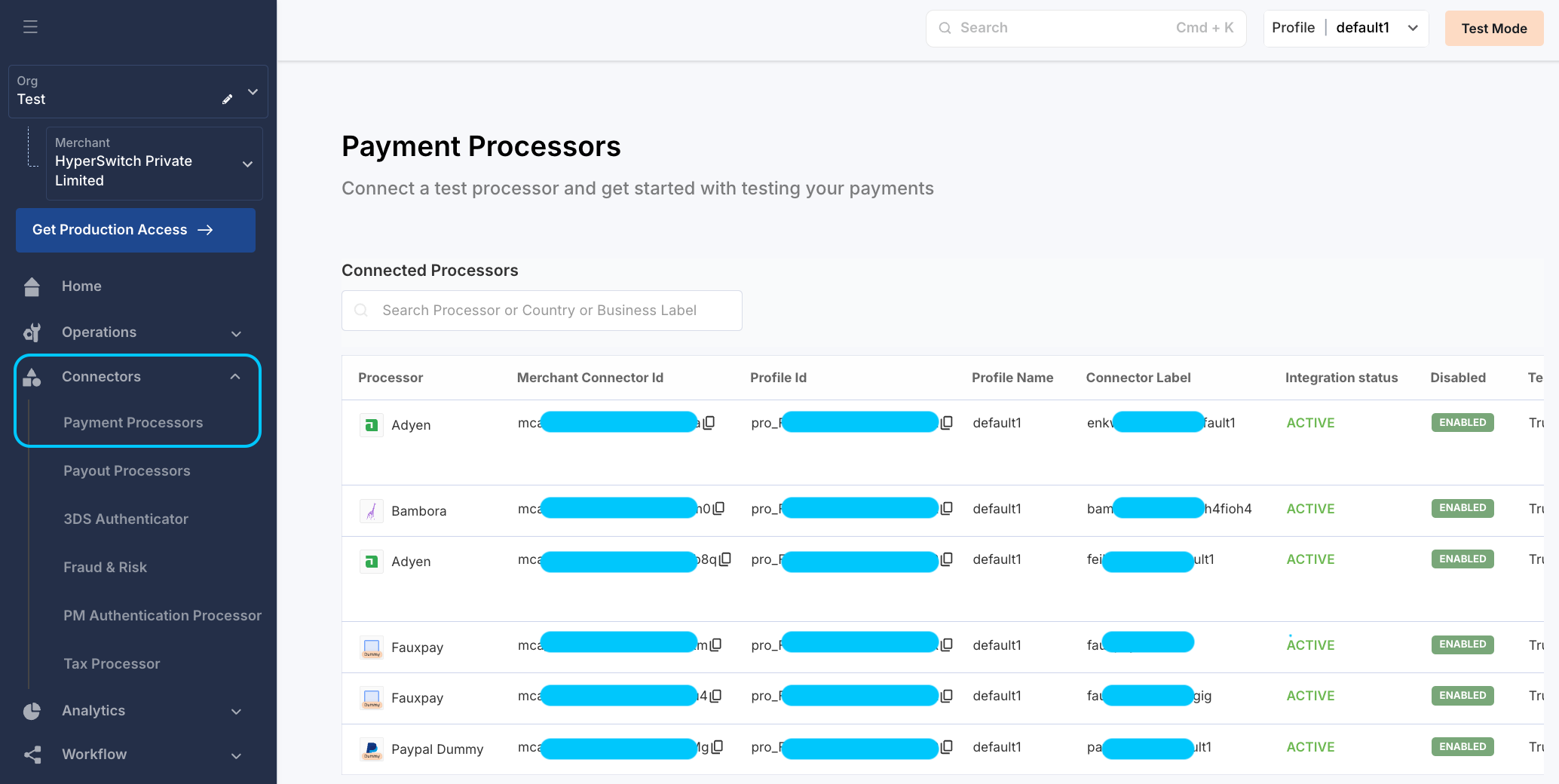
1. **Access connectors section**
* Navigate to the [Connectors](https://app.hyperswitch.io/connectors) section on the Control Center.
* Select the desired connector using the '+ Connect' button.
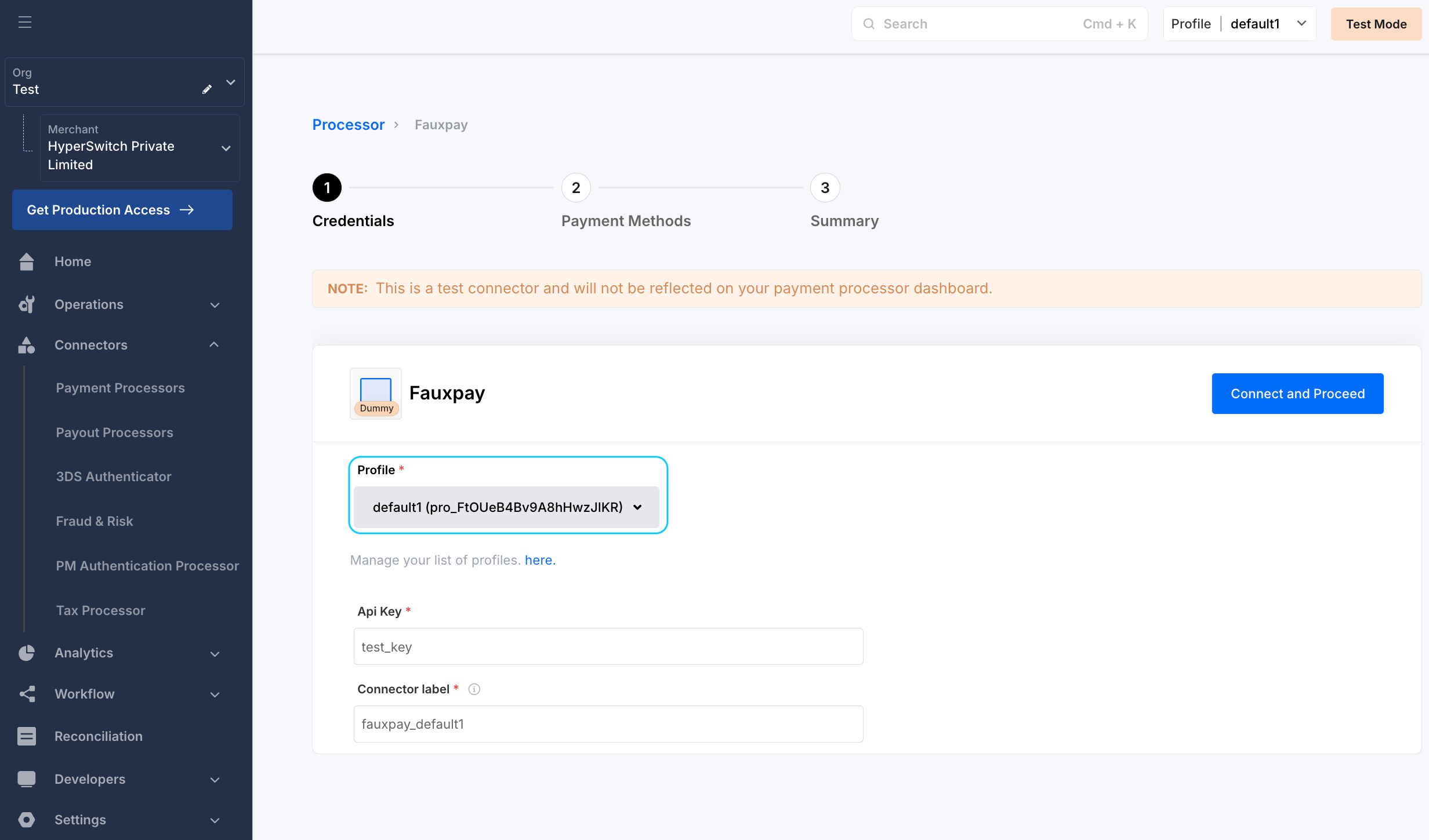
2. **Profile details**
* Profile id will be selected on its own in the Hyperswitch Control Centre, to change it you can switch from the dropdown at the top right of the dashboard.
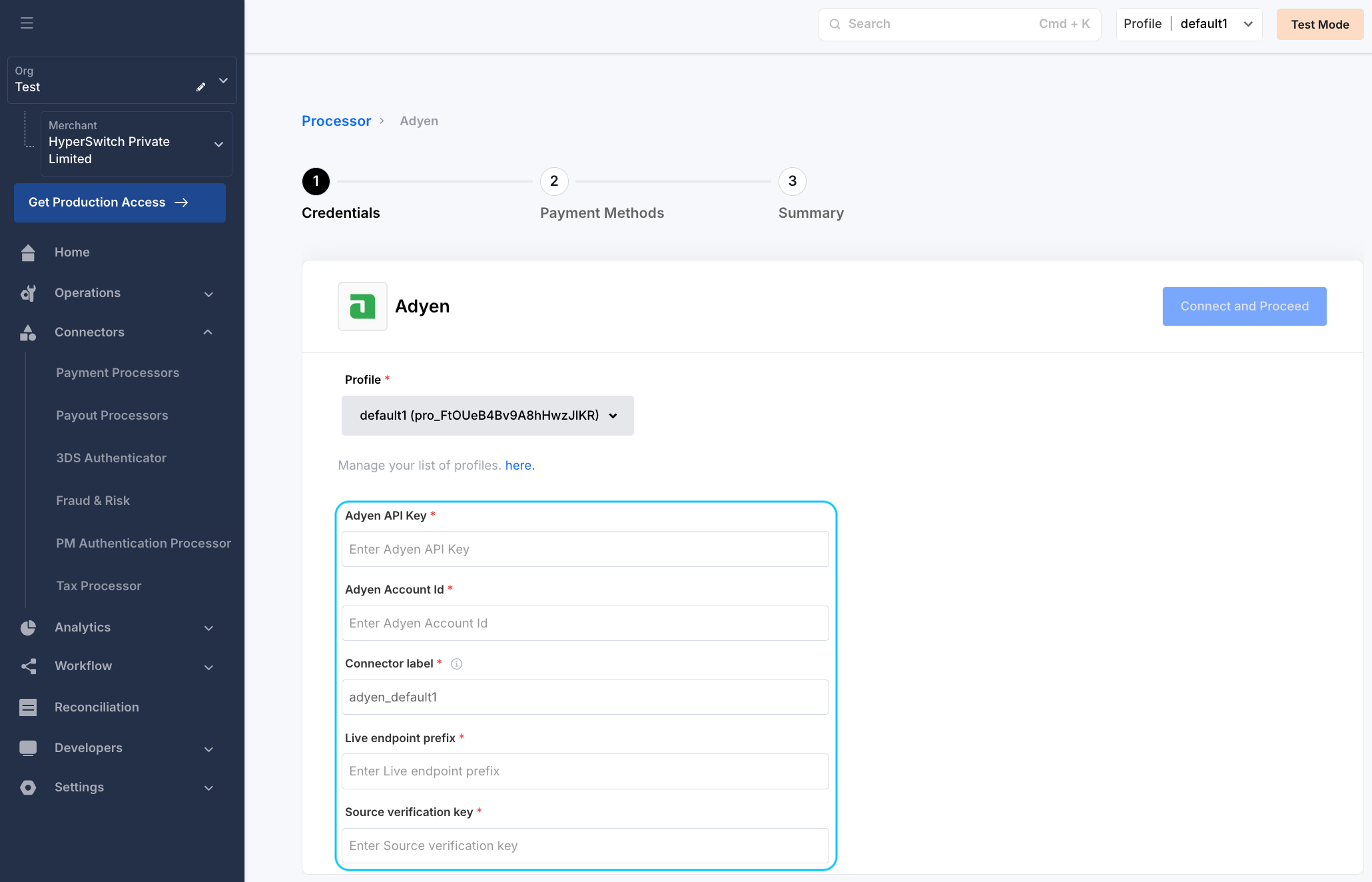
3. **Configure the connector details**
* Enter the required credentials for the selected connector obtained during signup or from the connector dashboard.
* Define a unique identifier for the connector under your business profile.
* If applicable, provide the Source Verification Key for webhook authenticity.
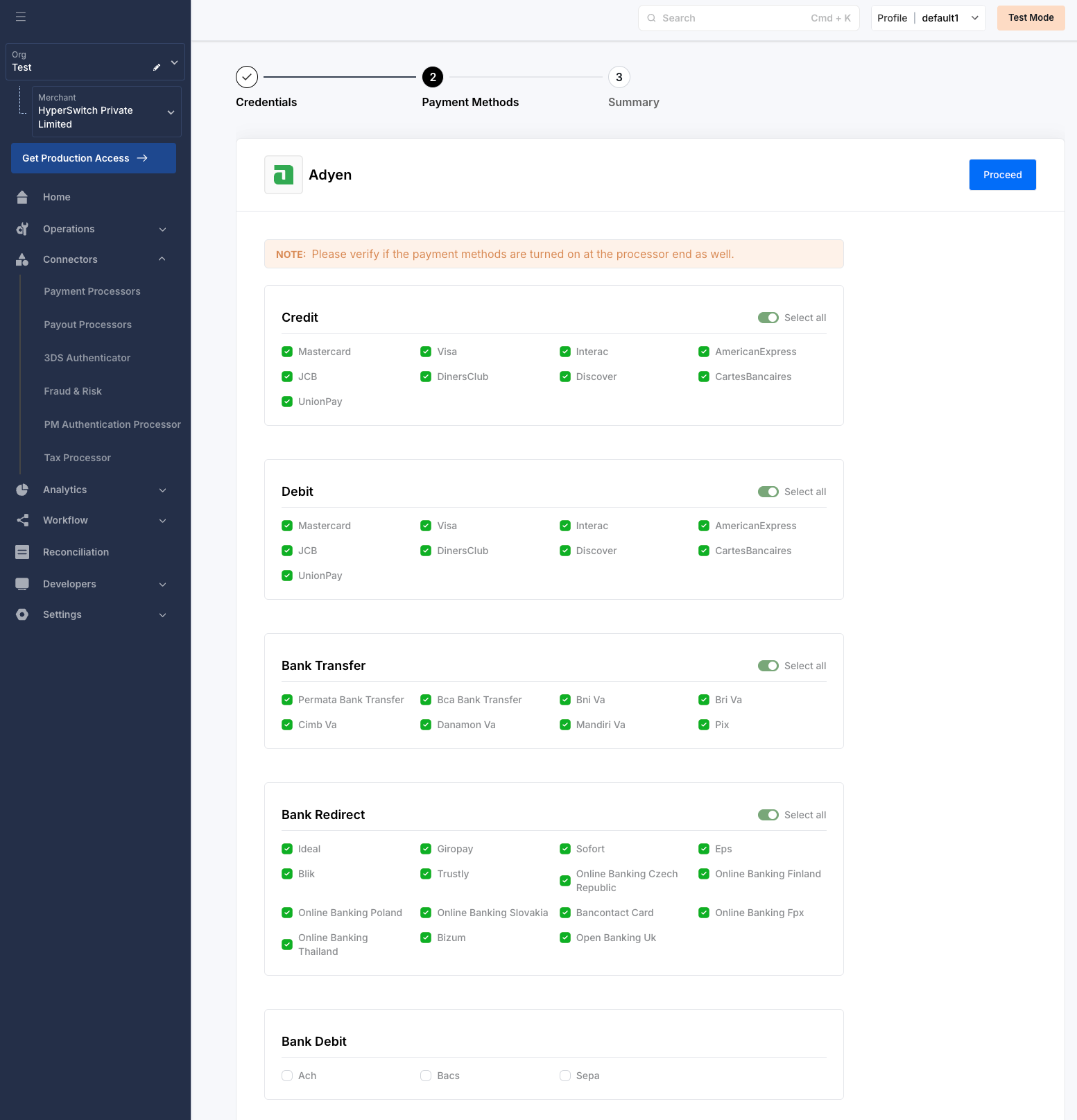
* Choose the payment methods for the demo checkout.
4. **Enable payment methods**
* Choose the payment methods for the demo checkout.
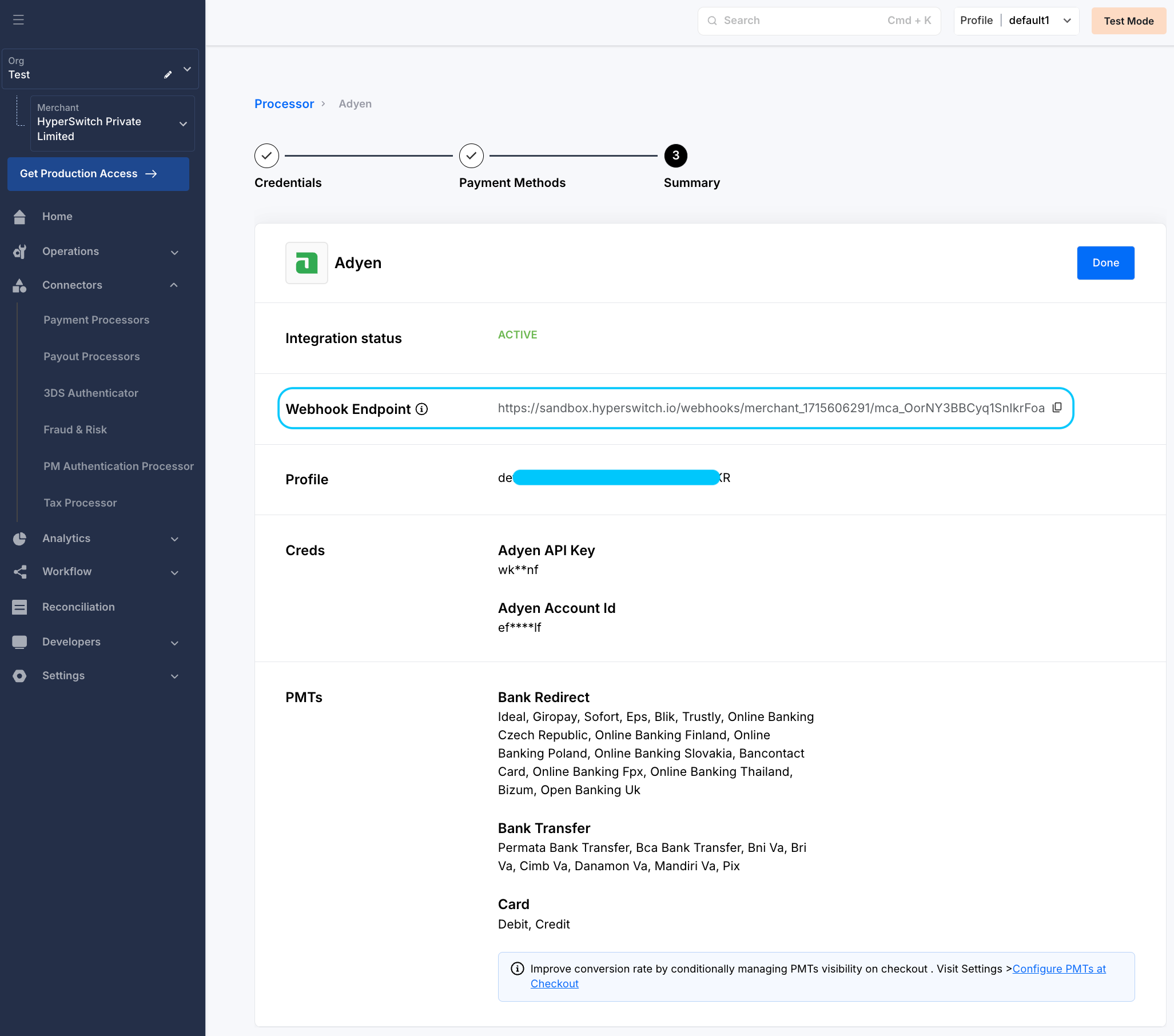
5. **Configure webhooks \[Optional]**
* If the selected connector supports webhooks, copy the URL from control center and configure it in the connector dashboard.
{% content-ref url="activate-connector-on-hyperswitch/test-a-payment-with-connector" %}
[test-a-payment-with-connector](https://docs.hyperswitch.io/~/revisions/iPtyU5MKxmgIsGywgRhI/explore-hyperswitch/connectors/activate-connector-on-hyperswitch/test-a-payment-with-connector)
{% endcontent-ref %}
### Edit connector credentials on the Hyperswitch Control Center
{% hint style="warning" %}
To update connector credentials on Hyperswitch you will need to re-enter all the fields required for credentials.
{% endhint %}
To update the credentials on the Hyperswitch Control Centre, You can follow the following steps -
1. **Access connectors section**
* Navigate to the [Connectors](https://app.hyperswitch.io/connectors) section on the Control Center.
* Find all the existing connector integration for the selected profiles.
2. **Profile details**
* Profile id will be selected on its own in the Hyperswitch Control Centre, to change it you can switch from the dropdown at the top right of the dashboard.
3. **Updating the credentials**
* Click on the edit icon(📝) alongside the API keys, this will take you to a pop-up to enter the credentials for the connectors.
{% content-ref url="activate-connector-on-hyperswitch/test-a-payment-with-connector" %}
[test-a-payment-with-connector](https://docs.hyperswitch.io/~/revisions/iPtyU5MKxmgIsGywgRhI/explore-hyperswitch/connectors/activate-connector-on-hyperswitch/test-a-payment-with-connector)
{% endcontent-ref %}
.png?alt=media)