> For the complete documentation index, see [llms.txt](https://docs.hyperswitch.io/llms.txt). Markdown versions of documentation pages are available by appending `.md` to page URLs; this page is available as [Markdown](https://docs.hyperswitch.io/other-features/connectors/payouts/get-started-with-payouts.md).
# Getting Started with Payouts
Learn how to configure payout processors and process payouts via the Hyperswitch Dashboard and API.
To begin processing payouts with Juspay Hyperswitch, you must first establish accounts with your [supported payout processors](https://juspay.io/integrations).
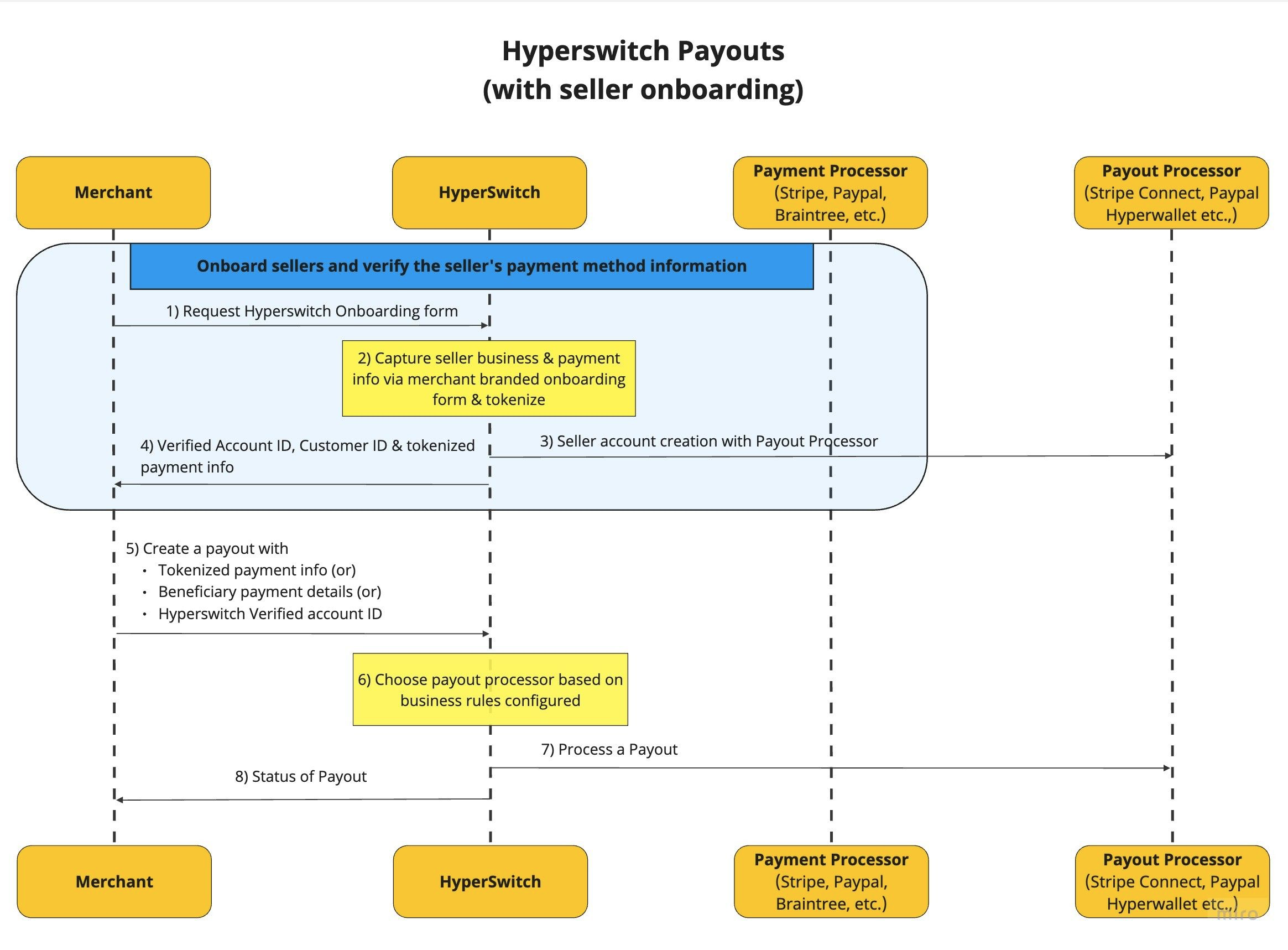
The following diagrams illustrate the interaction between your application, the Hyperswitch orchestration layer, and the underlying payout processors.
### Configuration Resources
Implementation requires the Hyperswitch Dashboard for configuration and the API for transaction processing.
* API Endpoint (Sandbox): `https://sandbox.hyperswitch.io`
* Hyperswitch Dashboard: [app.hyperswitch.io](https://app.hyperswitch.io)
* Technical Reference: [Payouts API Reference](https://api-reference.hyperswitch.io/v1/payouts/payouts--create)
#### Prerequisites
Before configuring your first payout, ensure you have the following credentials from your Dashboard:
1. A Hyperswitch account.
2. An API Key (located in the Developers section).
3. Your Merchant ID (available on the Home page).
#### Configuring Payout Processors
Log in to the [Hyperswitch Dashboard](https://app.hyperswitch.io) and follow these steps to connect your processors.
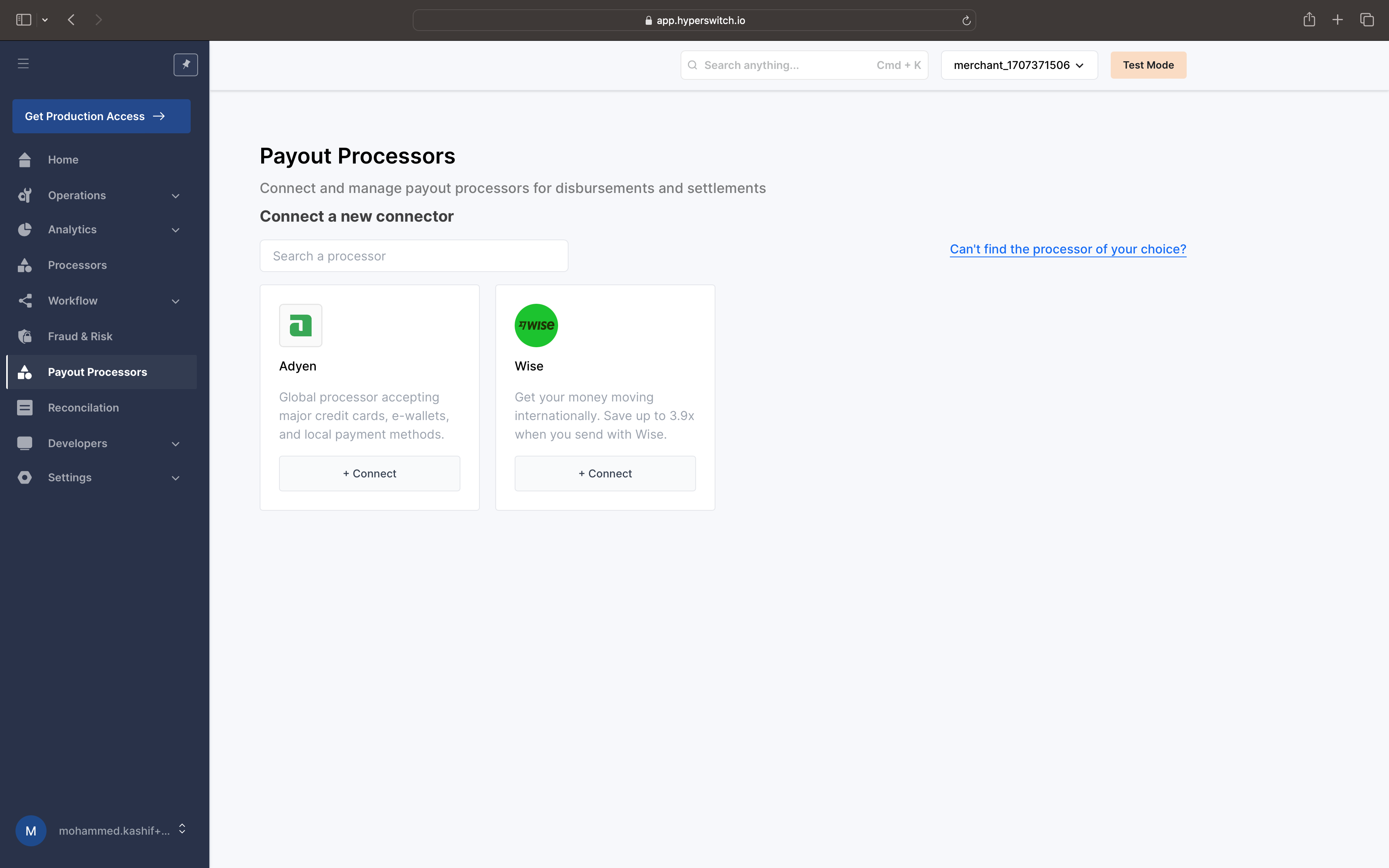
1. **Navigate to Payout Processors:** Select the **Payout Processors** tab from the sidebar, then choose a processor from the supported list to open the configuration modal.
Payout Processors list
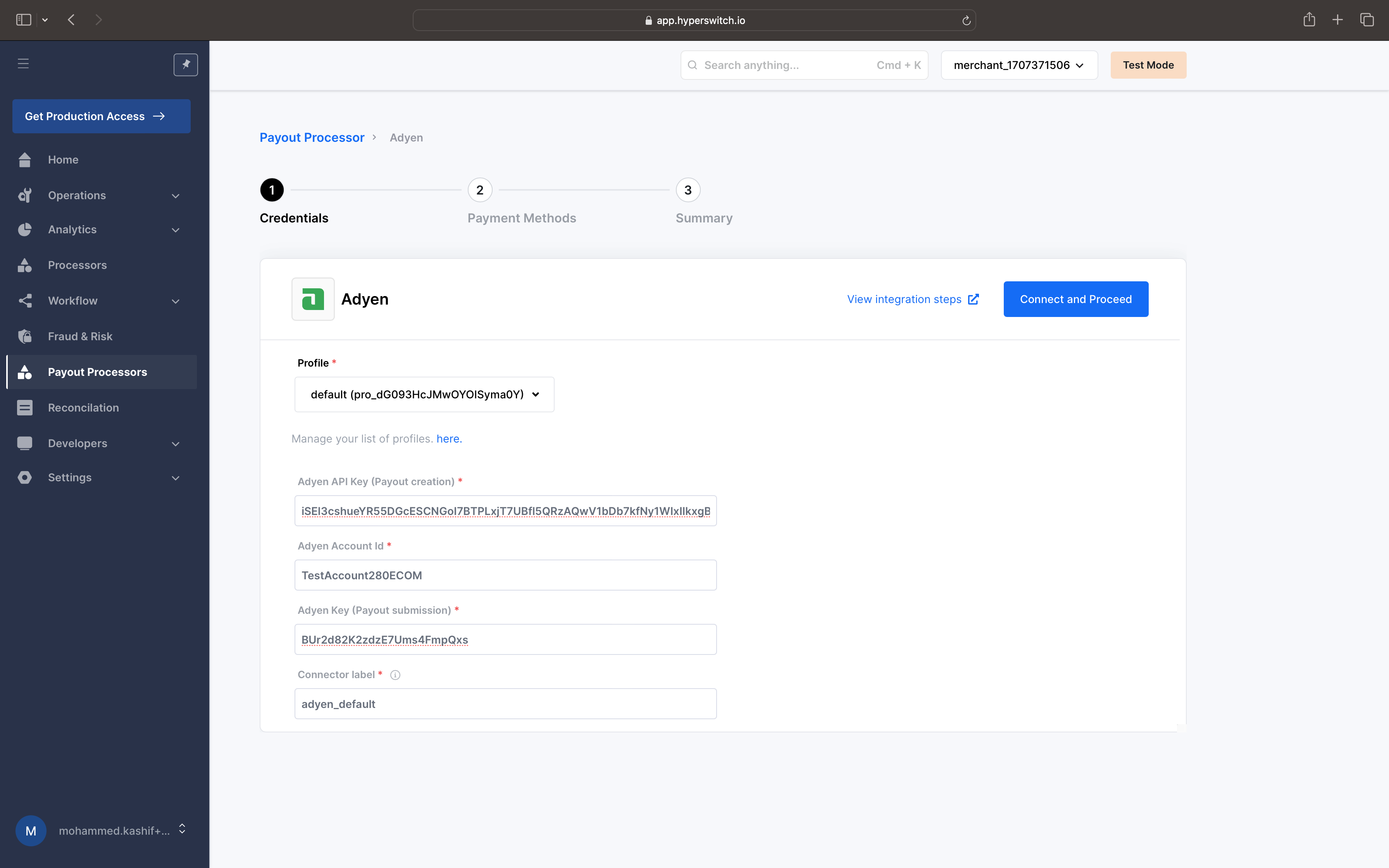
2. **Provide Credentials:** Enter the authentication keys required by the specific processor to enable communication.
Configuring auth keys for communicating with the processor
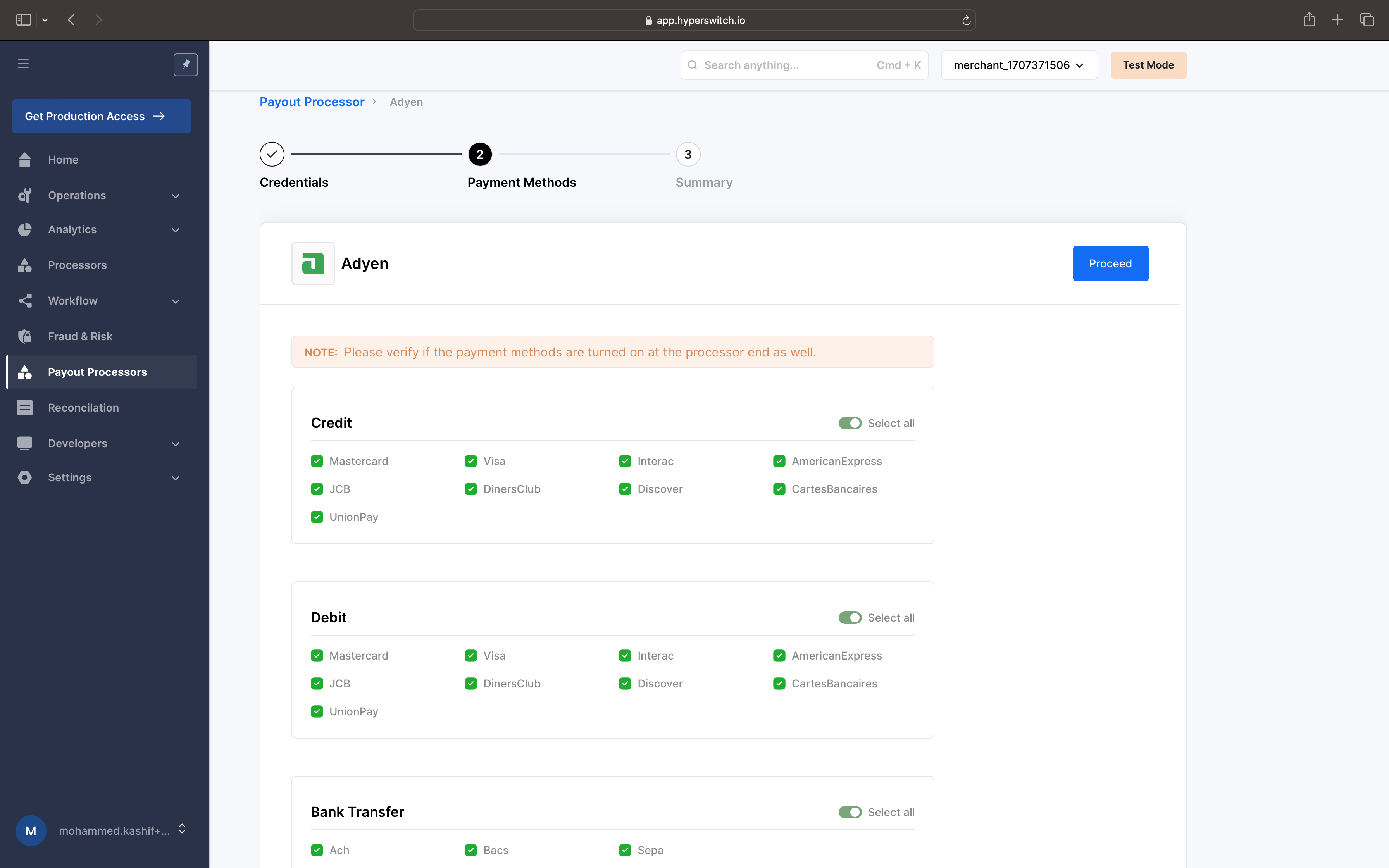
3. **Enable Payment Methods:** Select the specific payout methods (e.g., Bank Transfer, Cards) you intend to use for this processor.
Keep preferred payment methods enabled
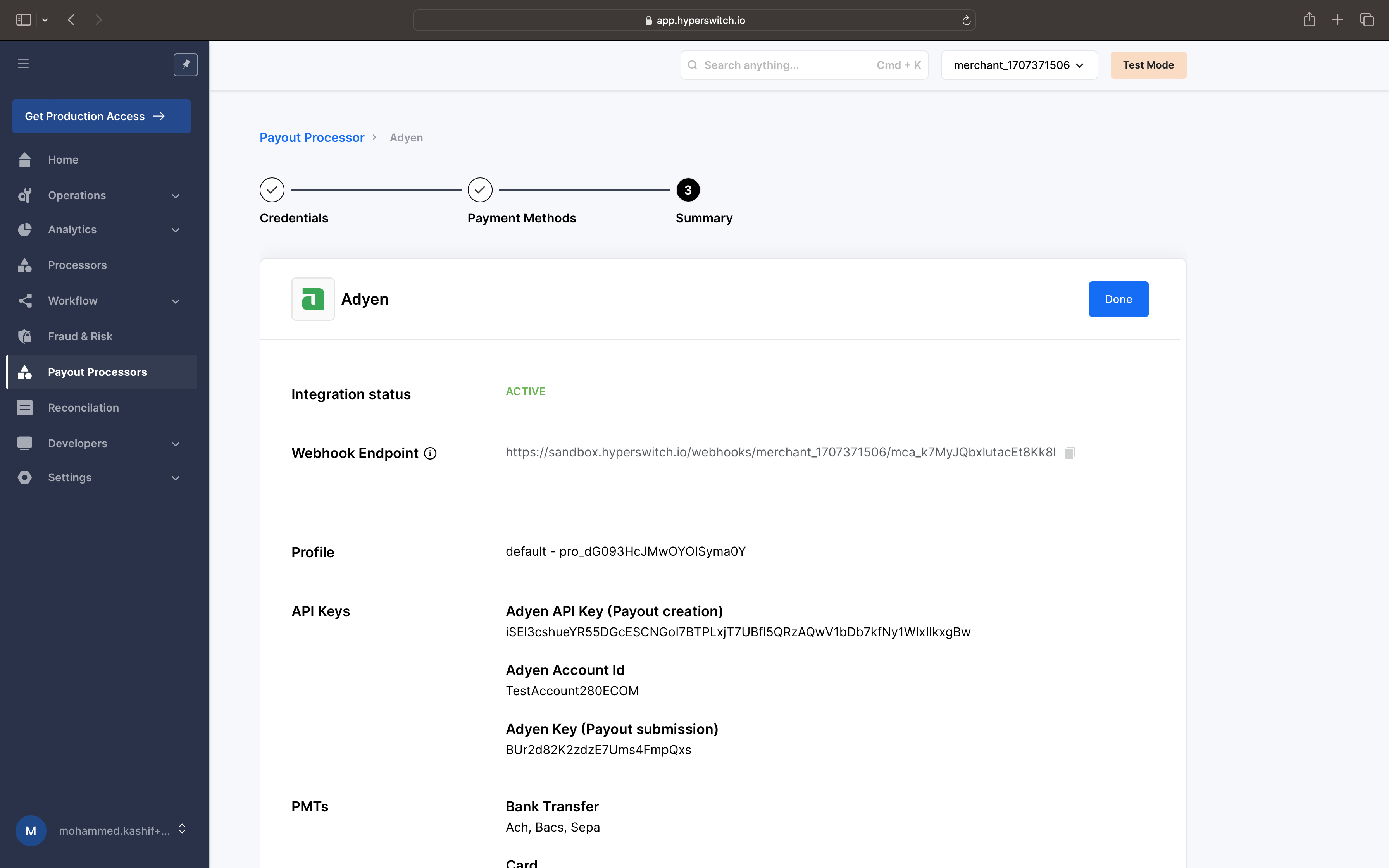
4. **Confirm Configuration:** Once saved, the processor will appear as "Active" in your list.
Successfully configured!
#### Processing Payouts via API
For testing and initial integration, you can use the [Hyperswitch Postman Collection](https://www.postman.com/hs-payouts/hyperswitch/collection/u6uep7u/payouts-w-hyperswitch).
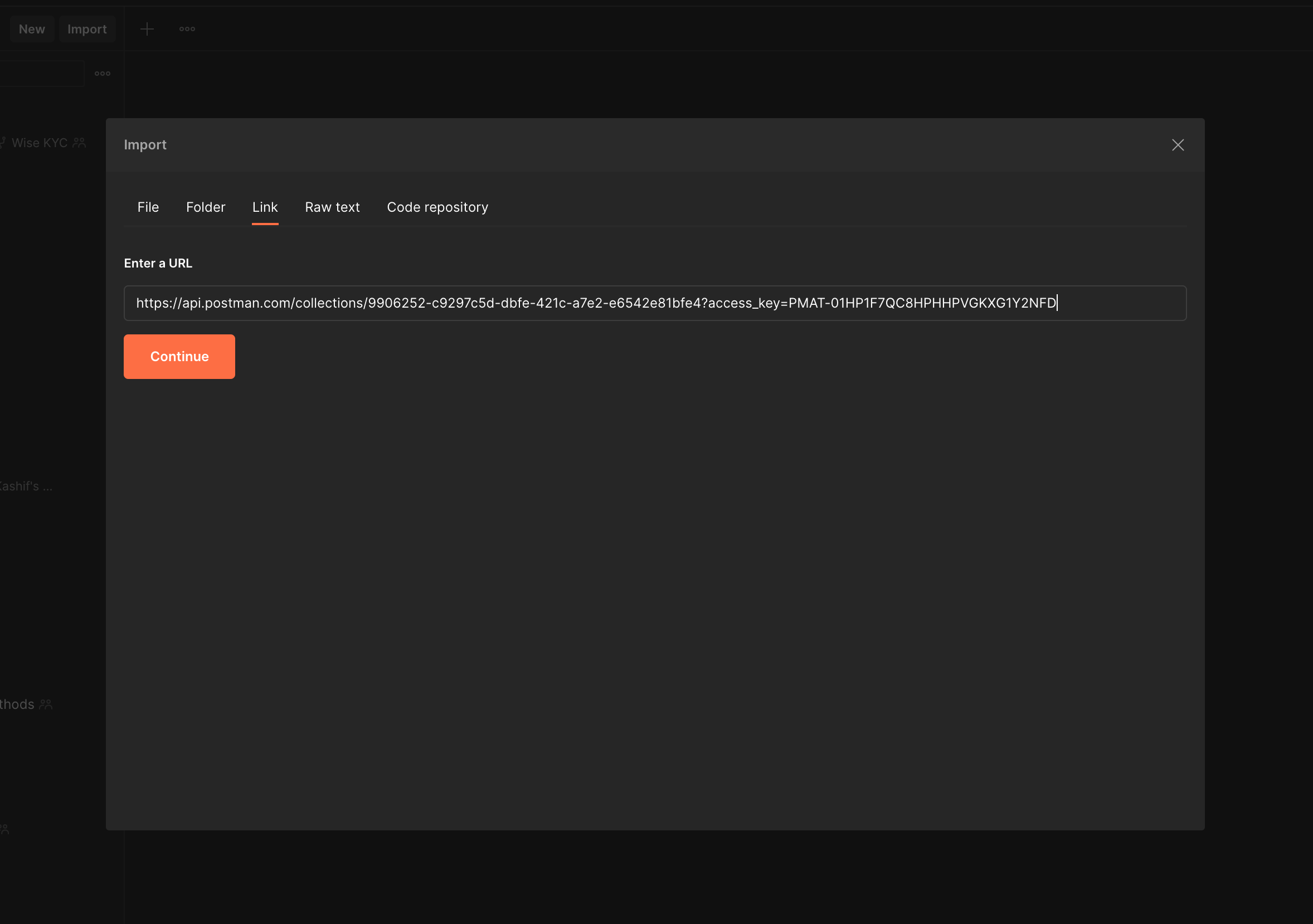
1. **Import Collection:** Download and import the collection into your Postman workspace.
Import postman collection
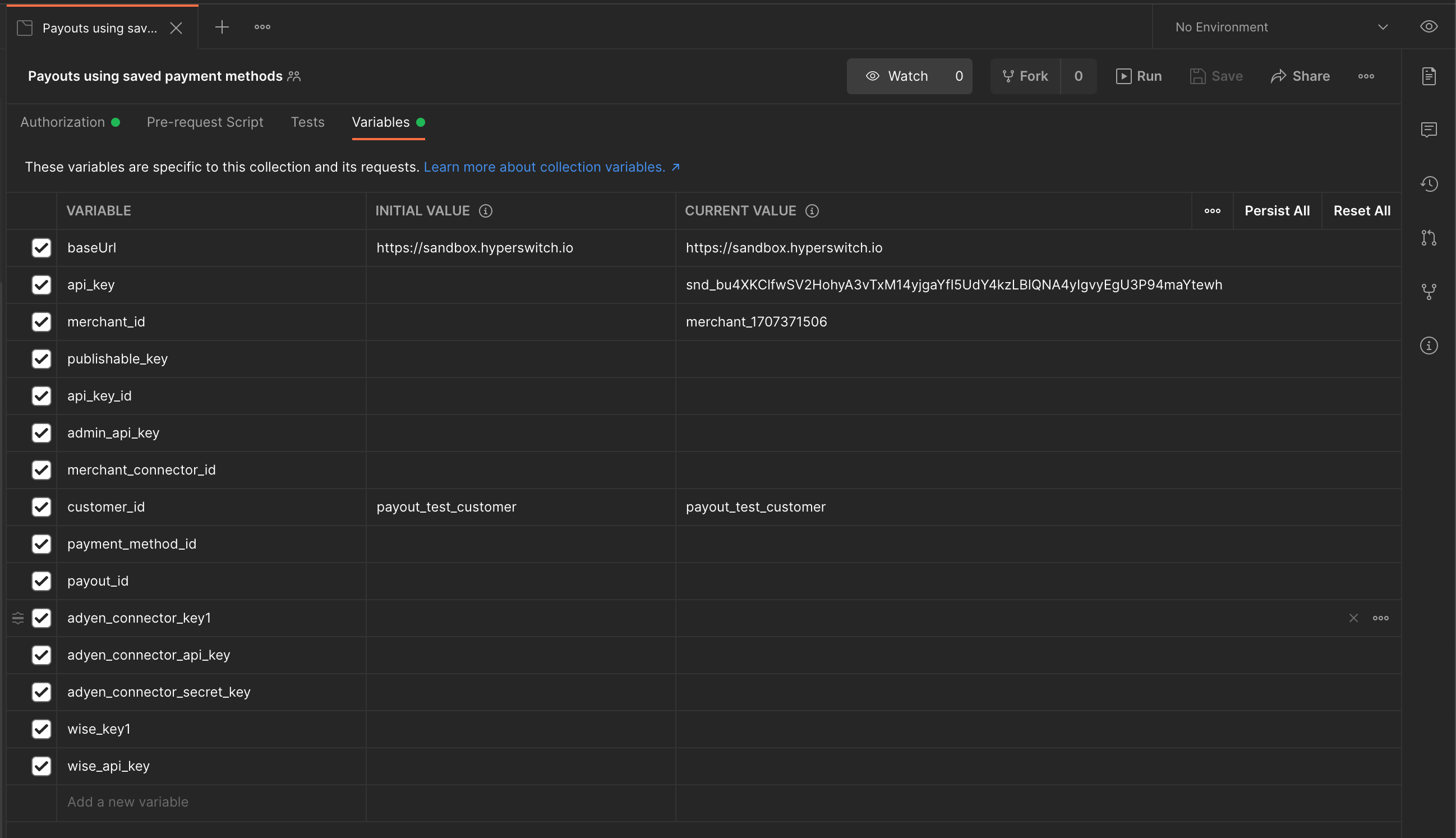
2. **Configure Environment Variables:** In the **Variables** tab, set the following parameters:
* `baseUrl`: `https://sandbox.hyperswitch.io`
* `merchant_id`: Your unique merchant identifier.
* `api_key`: Your Hyperswitch API secret key.
Updating env variables in postman collection
3. **Execute Payout:** Navigate to the **Process Payouts** section of the collection to send a `POST` request to the `/payouts/create` endpoint.
{% content-ref url="/pages/BhrISH3IP4euAGa8kpEO" %}
[Payouts with Saved Payment Methods](/other-features/connectors/payouts/process-payouts-using-saved-payment-methods.md)
{% endcontent-ref %}
---
# Agent Instructions
This documentation is published with GitBook. GitBook is the documentation platform designed so that both humans and AI agents can read, navigate, and reason over technical content effectively. Learn more at gitbook.com.
## Querying This Documentation
If you need additional information that is not directly available in this page, you can query the documentation dynamically by asking a question.
Perform an HTTP GET request on the current page URL with the `ask` query parameter, and the optional `goal` query parameter:
```
GET https://docs.hyperswitch.io/other-features/connectors/payouts/get-started-with-payouts.md?ask=&goal=
```
`ask` is the immediate question: it should be specific, self-contained, and written in natural language.
`goal` is optional and describes the broader end goal you are ultimately trying to accomplish on behalf of the user. GitBook uses it to tailor the answer towards what is most useful for that goal.
The response will contain a direct answer to the question and relevant excerpts and sources from the documentation.
Use this mechanism when the answer is not explicitly present in the current page, you need clarification or additional context, or you want to retrieve related documentation sections.