> For the complete documentation index, see [llms.txt](https://docs.hyperswitch.io/llms.txt). Markdown versions of documentation pages are available by appending `.md` to page URLs; this page is available as [Markdown](https://docs.hyperswitch.io/learn-more/test-payments-through-newman-wrapped-in-rust.md).
# Testing Payments
Test payments through CLI version of Postman, Newman which resides in a Rust wrapper called as Rustman
### Test payments through Newman wrapped in Rust
To begin with, a fork of Newman needs to be installed by executing `npm install -g 'https://github.com/knutties/newman.git#feature/newman-dir'`
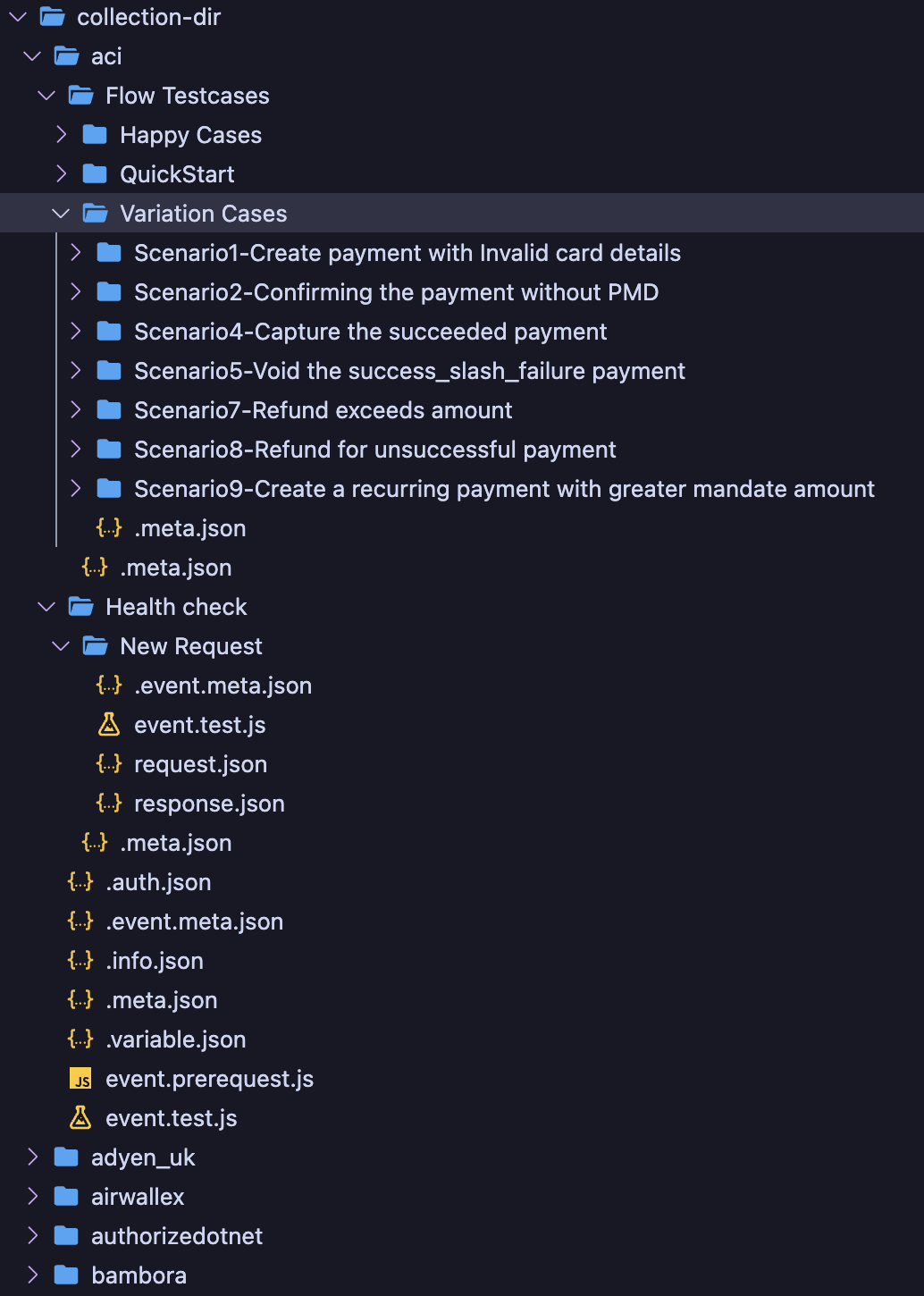
This Newman fork has built-in support exporting and importing a postman collection in the form directory unlike having a single large `.json` collection file.
The main feature of the newman fork, directory support
To see the features that the fork of `newman` supports, click [***here***](https://github.com/knutties/newman/blob/feature/newman-dir/DIR_COMMANDS.md)
### Test Utils Usage
* Add the connector credentials to the `connector_auth.toml` / `auth.toml` by creating a copy of the `sample_auth.toml` from `router/tests/connectors/sample_auth.toml`
* Export the auth file path as an environment variable:
```shell
export CONNECTOR_AUTH_FILE_PATH=/path/to/connector_auth.toml
```
#### Supported Commands
Required fields:
* `--admin-api-key` -- Admin API Key of the environment. `test_admin` is the Admin API Key for running locally
* `--base-url` -- Base URL of the environment. `http://127.0.0.1:8080` / `http://localhost:8080` is the Base URL for running locally
* `--connector-name` -- Name of the connector that you wish to run. Example: `adyen`, `shift4`, `stripe`
#### Optional fields:
* `--delay` -- To add a delay between requests in milliseconds.
* Maximum delay is 4294967295 milliseconds or 4294967.295 seconds or 71616 minutes or 1193.6 hours or 49.733 days
* Example: `--delay 1000` (for 1 second delay)
* `--folder` -- To run individual folders in the collection
* Use double quotes to specify folder name. If you wish to run multiple folders, separate them with a comma (`,`)
* Example: `--folder "QuickStart"` or `--folder "Health check,QuickStart"`
* If a specific folder needs to be run, automatically `QuickStart` folder will be executed first to avoid issues with account creation and setup.
* `--header` -- If you wish to add custom headers to the requests, you can pass them as a string
* Example: `--header "key:value"`
* If you want to pass multiple custom headers, you can pass multiple `--header` flags
* Example: `--header "key1:value1" --header "key2:value2"`
* `--verbose` -- A boolean to print detailed logs (requests and responses)
{% hint style="warning" %}
Passing `--verbose` will also print the connector as well as admin API keys in the logs. So, make sure you don't push the commands with `--verbose` to any public repository.
{% endhint %}
#### Running tests
* Tests can be run with the following command:
```shell
cargo run --package test_utils --bin test_utils -- --connector-name= --base-url= --admin-api-key= \
# optionally
--folder ",,..." --verbose
```
{% hint style="warning" %}
You can omit `--package test_utils` at the time of running the above command since it is optional.
{% endhint %}
{% hint style="warning" %}
The command `cargo run --package test_utils --bin test_utils -- --connector-name= --base-url= --admin-api-key=` will generate newman commands on the go and execute the collection.
{% endhint %}
---
# Agent Instructions
This documentation is published with GitBook. GitBook is the documentation platform designed so that both humans and AI agents can read, navigate, and reason over technical content effectively. Learn more at gitbook.com.
## Querying This Documentation
If you need additional information that is not directly available in this page, you can query the documentation by asking a question.
Perform an HTTP GET request on the following URL with the `ask` and `goal` query parameters:
```
GET https://docs.hyperswitch.io/learn-more/test-payments-through-newman-wrapped-in-rust.md?ask=&goal=
```
`ask` is the immediate question: it should be specific, self-contained, and written in natural language.
`goal` is what the user is ultimately trying to achieve, the reason they need the answer. Sharing it helps GitBook give you a better, more relevant answer. A goal is most helpful when it describes the outcome the user wants rather than restating the question. For example, with `ask=how do I create an API token`, a goal like `automate deployments from our CI pipeline` lets GitBook tailor the answer to that use case.
The response will contain a direct answer to the question and relevant excerpts and sources from the documentation.
Use this mechanism when the answer is not explicitly present in the current page, you need clarification or additional context, or you want to retrieve related documentation sections.