> For the complete documentation index, see [llms.txt](https://docs.hyperswitch.io/llms.txt). Markdown versions of documentation pages are available by appending `.md` to page URLs; this page is available as [Markdown](https://docs.hyperswitch.io/integrations/wallets/apple-pay/web-transactions-processed-using-hyperswitch-decryption-without-apple-merchant-id.md).
# Web Transactions Processed Using Hyperswitch Decryption (Without Apple Merchant ID)
Process Apple Pay web transactions through Hyperswitch decryption without requiring an Apple Merchant ID
In this flow Hyperswitch decrypts the token internally using own certificates and then transforms the raw data for any downstream connector.
**Mechanism:**
1. Frontend sends apple pay payment token to Hyperswitch.
2. Hyperswitch unwraps the token using your private key stored in its secure vault.
3. Hyperswitch maps the DPAN and Cryptogram to the destination PSP’s API.
### **Configuration :**
#### **Steps to configure Apple Pay on Hyperswitch**
* Login to [Hyperswitch control center](https://app.hyperswitch.io/)
* In the Processor tab, select desired connector
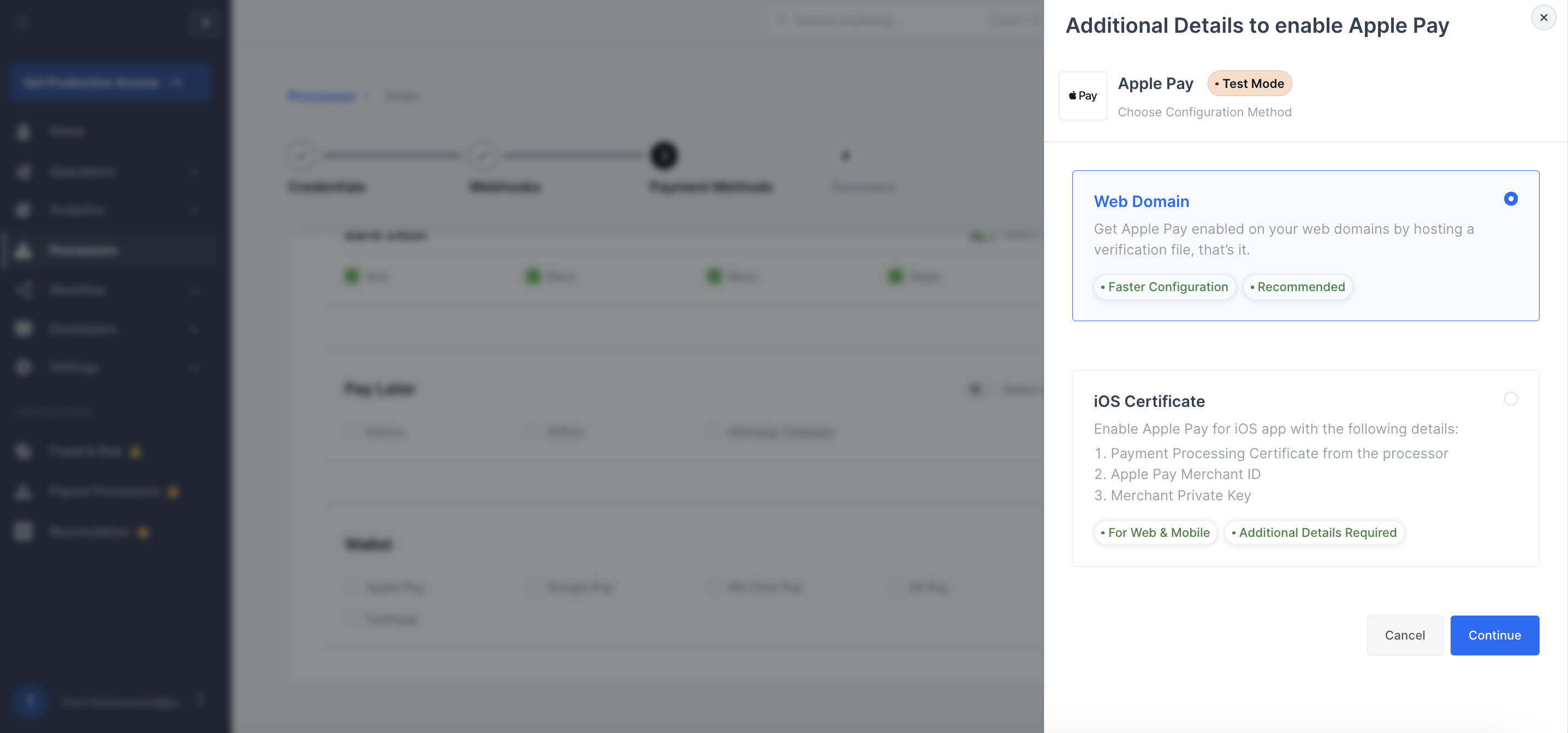
* While selecting Payment Methods, click on Apple Pay in the Wallet section
* Select the Web Domain option
* Download the domain verification file using the button available
* Host this file on your server at *`merchant_domain`*`/.well-known/apple-developer-merchantid-domain-association`
* Enter the domain name where you have hosted the domain verification file
* Click on verify and enable to complete your setup
{% hint style="warning" %}
Please note since the Apple Pay Web Domain flow involves decryption at Hyperswitch, you may need to write to your payment processor to get this feature enabled for your account. Stripe is one among them.
{% endhint %}
You can use the following text in the email
* Attach our PCI DSS AoC certificate and copy our Support team ().
* Stripe Account id: <`Enter your account id:` you can find it [here](https://dashboard.stripe.com/settings/user)>
* A detailed business description: <`One sentence about your business`>. The business operates across `xx` countries and has customers across the world.
* Feature Request: We are using Hyperswitch, a Level 1 PCI DSS 3.2.1 compliant Payments Orchestrator, to manage payments on our website. In addition to Stripe, since we are using other processors as well to process payments across multiple geographies, we wanted to use Hyperswitch’s Payment Processing certificate to decrypt Apple pay tokens and send the decrypted Apple pay tokens to Stripe. So, please enable processing decrypted Apple pay token feature on our Stripe account. We’ve attached Hyperswitch’s PCI DSS AoC for reference.
---
# Agent Instructions
This documentation is published with GitBook. GitBook is the documentation platform designed so that both humans and AI agents can read, navigate, and reason over technical content effectively. Learn more at gitbook.com.
## Querying This Documentation
If you need additional information that is not directly available in this page, you can query the documentation by asking a question.
Perform an HTTP GET request on the following URL with the `ask` and `goal` query parameters:
```
GET https://docs.hyperswitch.io/integrations/wallets/apple-pay/web-transactions-processed-using-hyperswitch-decryption-without-apple-merchant-id.md?ask=&goal=
```
`ask` is the immediate question: it should be specific, self-contained, and written in natural language.
`goal` is what the user is ultimately trying to achieve, the reason they need the answer. Sharing it helps GitBook give you a better, more relevant answer. A goal is most helpful when it describes the outcome the user wants rather than restating the question. For example, with `ask=how do I create an API token`, a goal like `automate deployments from our CI pipeline` lets GitBook tailor the answer to that use case.
The response will contain a direct answer to the question and relevant excerpts and sources from the documentation.
Use this mechanism when the answer is not explicitly present in the current page, you need clarification or additional context, or you want to retrieve related documentation sections.