> For the complete documentation index, see [llms.txt](https://docs.hyperswitch.io/llms.txt). Markdown versions of documentation pages are available by appending `.md` to page URLs; this page is available as [Markdown](https://docs.hyperswitch.io/integrations/connectors-integrations/payouts/get-started-with-payouts/payout-link.md).
# Payout Links
A low-code solution for sending money to beneficiaries via shareable payout links — supports custom branding, domain configuration, and test-mode access for rapid integration.
Juspay Hyperswitch introduces Payout Links - Make sending out money to beneficiaries, simple and easy. Improve customer / vendor / partner's experience by making instant payouts in their preferred mode of transaction with preferred processor.
### Use cases for Payout links
* Corporates - Pay marketing affiliates and reimburse employees.
* BFSI (Banking, Financial Services, and Insurance) - Settling insurance claims and paying DSA (Direct Selling Agents) incentives.
* Healthcare - Pay field agents, handle reimbursements, and issue refunds.
* Travel and Hospitality - Pay commissions to vendors, handle reimbursements and do refunds.
* Rental Business - Process Security Deposit Refunds for all rental business like car, housing, furniture and appliances.
* Online gaming - Distribute prize money to players.
* NGOs & Political Organisations - Reimburse field agents and volunteers.
### How to configure Payout links through Hyperswitch API?
### Prerequisites
* Create a Hyperswitch account via the [dashboard](https://app.hyperswitch.io/register) and create a profile ([read more](https://github.com/juspay/hyperswitch-docs/blob/main/integration-guide/account-management/multiple-accounts-and-profiles/README.md))
* Add a payout processor to your account
### Using Payout links
> **Note:** Domain name might vary based on the testing and production environment.
> **Info:** Payout links are secure by nature and should only be opened within an iframe of whitelisted domains in production. For ease of access, these links can be used in a test mode (for non-production environments) which removes the necessity of configuring whitelisted domains and loading these links within an iframe.
There are a couple of ways for using payout links.
* Creating default links
* Customizing UI of individual links
* Serving links from a custom domain
* **\[TEST MODE]** Opening non-iframed links
#### 1. Update [business profile](https://api-reference.hyperswitch.io/v1/business-profile/business-profile--update) with a default payout\_link\_config by passing the below object in the request body
```jsonc
"payout_link_config": {
// (optional) Custom theme color for your payout link.
// Can be any html color hex code.
"theme": "#143F1E",
// (optional) Custom logo for your company.
// Can be any hosted image URL.
"logo": "https://hyperswitch.io/favicon.ico",
// (optional) Name of your company.
"merchant_name": "HyperSwitch",
// (required in production) A list of domain glob patterns.
// This is used as validation when payout link render request is received, and also helps block XSS on client.
"allowed_domains": ["http://localhost:8080"],
// (only available in sandbox) Controls access to payout link.
// This is used to control whether or not to validate the access to payout link.
"payout_test_mode": false
}
```
> **Note:** It is recommended to set `payout_test_mode` to true for quickly testing the payout links. Alternatively, `test_mode` can be sent in the individual payout link's create request.
#### 2. Create a default payout link using [create payouts](https://api-reference.hyperswitch.io/v1/payouts/payouts--create) endpoint
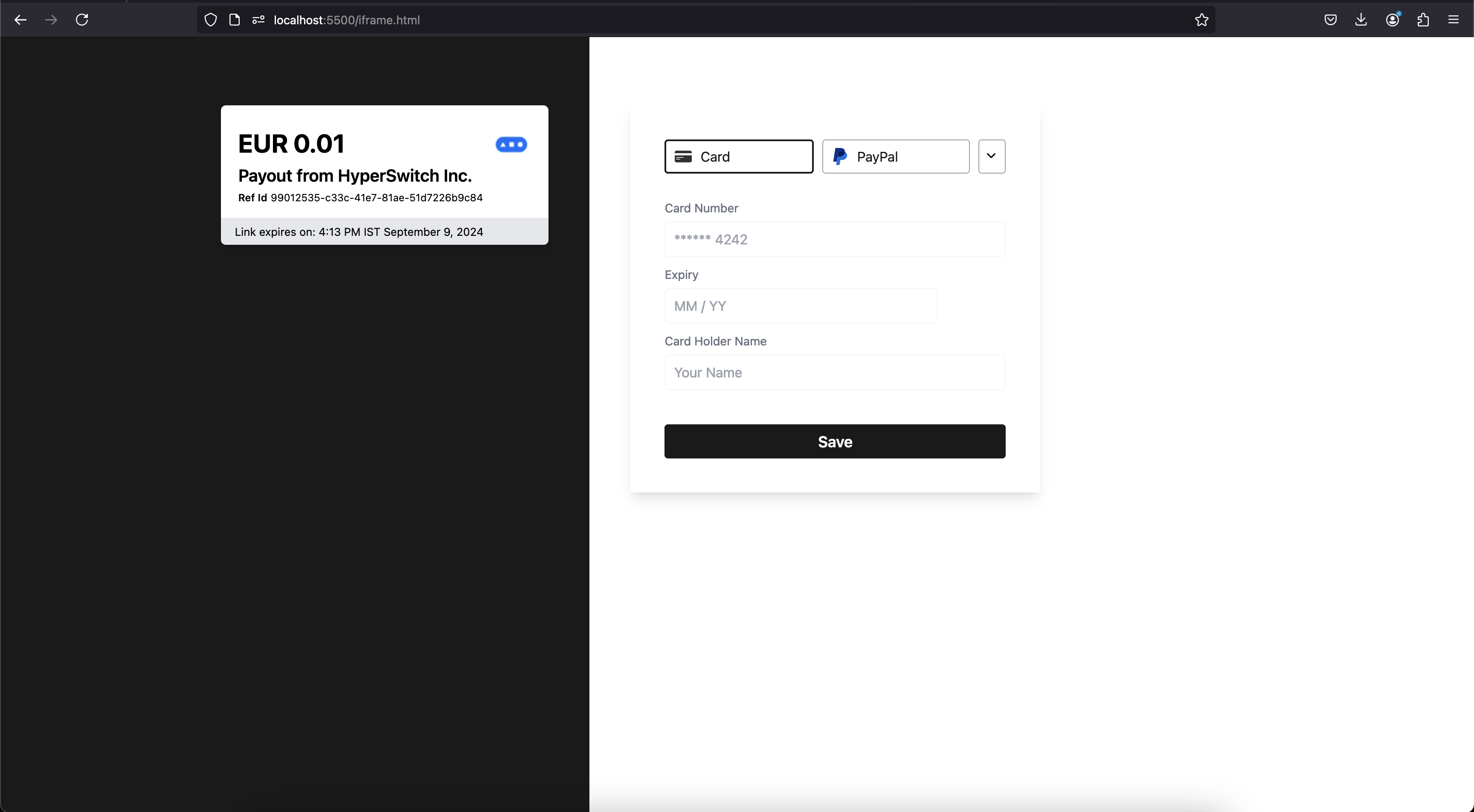
> **Info:** This creates a default payout link using the payout link config that was configured for the profile. If payout config is not configured and not passed during the create request, a default set of UI config is used.
* Set `payout_link` to true
```shell
curl --location 'https://sandbox.hyperswitch.io/payouts/create' \
--header 'Content-Type: application/json' \
--header 'Accept: application/json' \
--header 'api-key: YOUR_API_KEY' \
--data '{
"amount": 100,
"currency": "EUR",
"customer_id": "cus_123",
"name": "John Doe",
"phone": "999999999",
"email": "payout_customer@example.com",
"phone_country_code": "+65",
"description": "Its my first payout request",
"billing": {
"address": {
"line1": "1467",
"line2": "Harrison Street",
"line3": "Harrison Street",
"city": "San Fransico",
"state": "CA",
"zip": "94122",
"country": "US",
"first_name": "John",
"last_name": "Doe"
},
"phone": {
"number": "9000000001",
"country_code": "+91"
}
},
"payout_link" : true,
"confirm": false,
"session_expiry":2592000
}'
```
Default payout link opened in an iframe hosted locally
#### 3. Customizing a payout link during creation
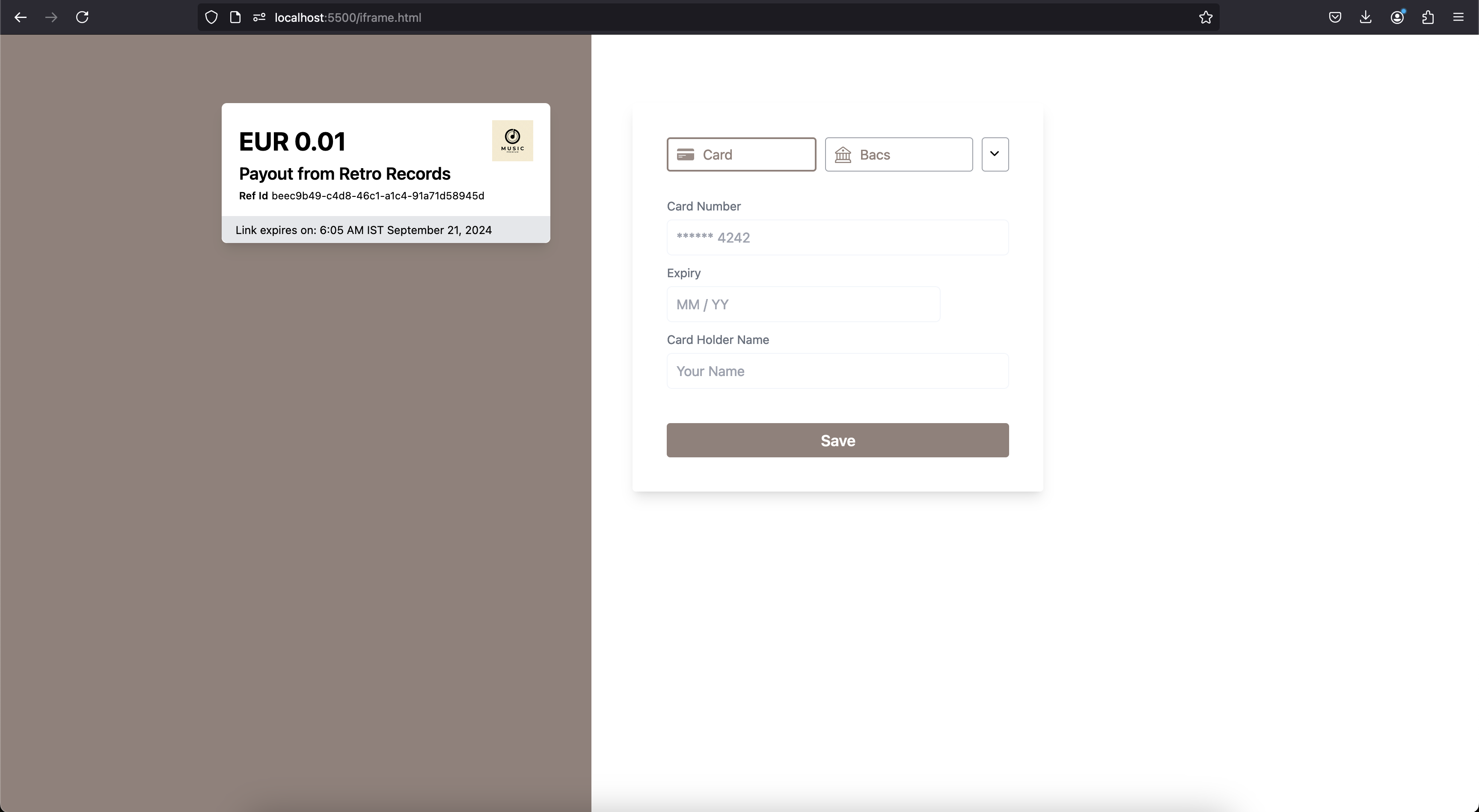
> **Note:** Each payout link can be configured individually during [payout creation](https://api-reference.hyperswitch.io/v1/payouts/payouts--create) by including the `payout_link_config` object. UI config and access control (`test_mode`) can be specified during creation. However, `domain_name` is always configured at the profile level.
Customized payout link opened in an iframe hosted locally
#### 4. Opening non-iframed links
> **Note:** This feature is available only in non-production environments. It bypasses the server-side and client-side validations that ensure links are only opened within an iframe of a whitelisted domain.
> **Note:** This can be achieved by either setting this behaviour at the business profile level, or by setting it in individual link create requests.
**Setting at business profile level**
* Update `payout_link_config` in [business profile](https://api-reference.hyperswitch.io/v1/business-profile/business-profile--update) to set `payout_test_mode`
```jsonc
"payout_link_config": {
"payout_test_mode": true
}
```
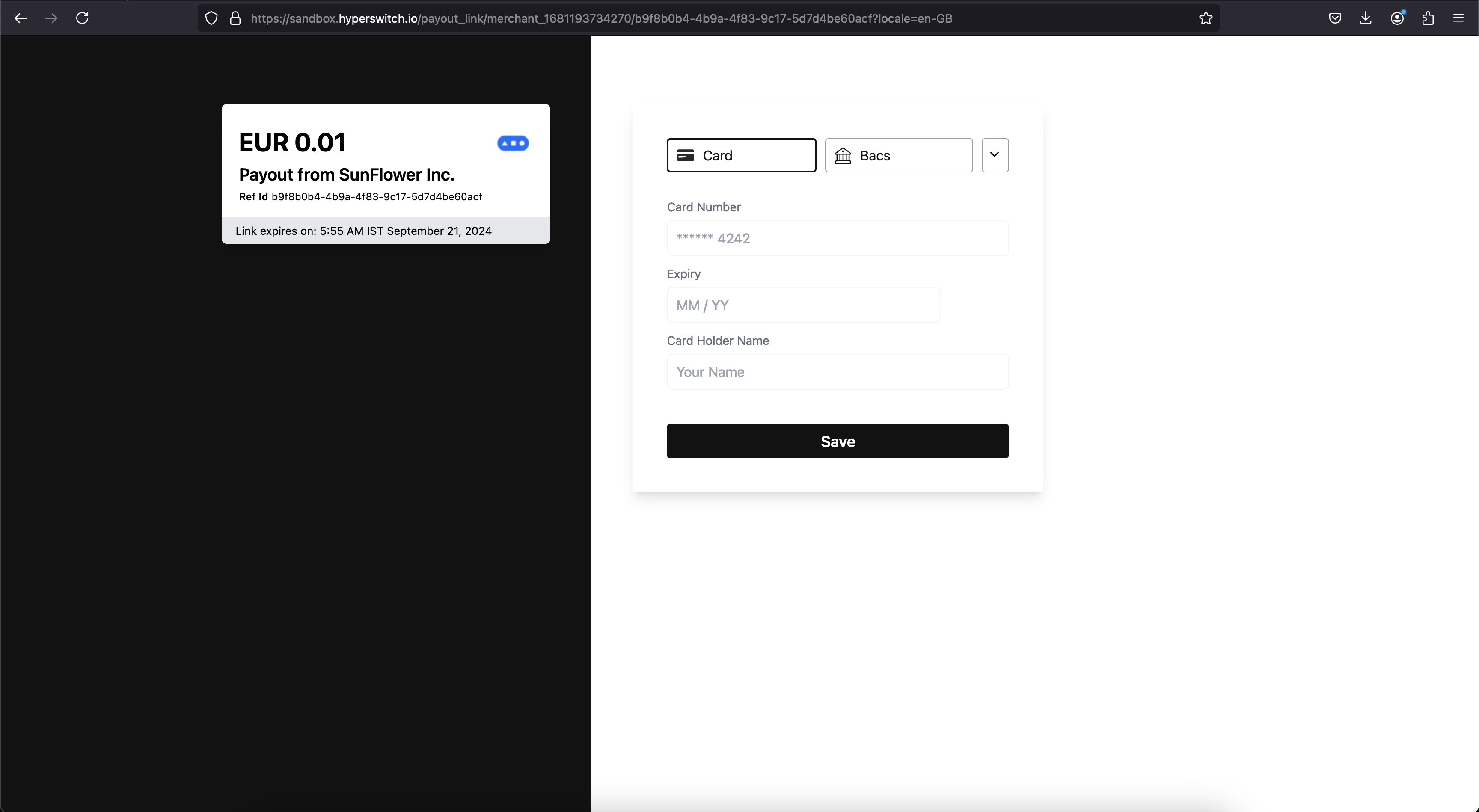
* Any new payout links created for this business profile will be accessible through browser's new tab.
**Creating test links on demand**
* Set `test_mode` during payout link creation
### FAQ
Can I create a payout link pointing to my custom domain?
Yes. Your custom domain can be included in the default payout\_link\_config object as part of the business profile update.
This involves adding CNAME records and TLS certificates, which is a slightly complex process. Please reach out to our [Support](https://join.slack.com/t/hyperswitch-io/shared_invite/zt-2awm23agh-p_G5xNpziv6yAiedTkkqLg) to test this feature out with your custom domain.
What are the benefits of using a Payout link?
Payout links simplify the process of sending money, eliminating the operational complexities of bank transfers or payouts. With just a few clicks, you can create a payout link. Once generated, we notify the recipient, who can redeem the money at their convenience.
How long is the Payout link valid for?
The payout link is valid for 15 minutes by default. However, you can increase the validity to up to 3 months (7,890,000 seconds) by passing the time in seconds in `session_expiry` in the create payout link call.
How can I send Payout links via Emails?
Hyperswitch supports generation of the payout link. We are not integrated with any email servers. You'll need to have a mail server integration at your end and ingest the payout links to the emails being sent.
---
# Agent Instructions
This documentation is published with GitBook. GitBook is the documentation platform designed so that both humans and AI agents can read, navigate, and reason over technical content effectively. Learn more at gitbook.com.
## Querying This Documentation
If you need additional information that is not directly available in this page, you can query the documentation dynamically by asking a question.
Perform an HTTP GET request on the current page URL with the `ask` query parameter, and the optional `goal` query parameter:
```
GET https://docs.hyperswitch.io/integrations/connectors-integrations/payouts/get-started-with-payouts/payout-link.md?ask=&goal=
```
`ask` is the immediate question: it should be specific, self-contained, and written in natural language.
`goal` is optional and describes the broader end goal you are ultimately trying to accomplish on behalf of the user. GitBook uses it to tailor the answer towards what is most useful for that goal.
The response will contain a direct answer to the question and relevant excerpts and sources from the documentation.
Use this mechanism when the answer is not explicitly present in the current page, you need clarification or additional context, or you want to retrieve related documentation sections.