> For the complete documentation index, see [llms.txt](https://docs.hyperswitch.io/llms.txt). Markdown versions of documentation pages are available by appending `.md` to page URLs; this page is available as [Markdown](https://docs.hyperswitch.io/integration-guide/workflows/intelligent-routing/autopilot.md).
# Autopilot
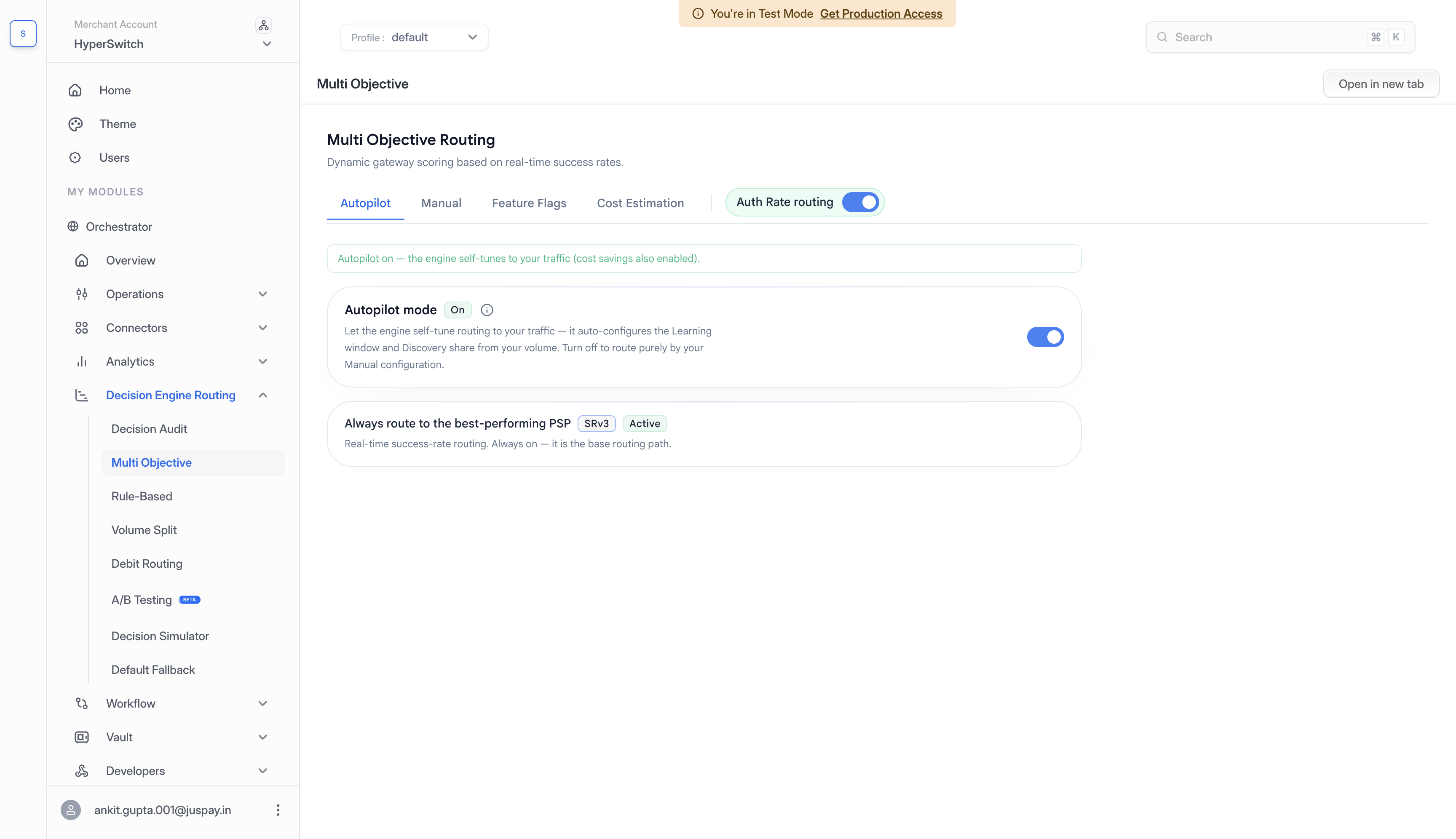
Let Intelligent Routing self-tune its auth-rate routing from your live traffic - no dials to manage - while keeping your manual overrides untouched.
Autopilot is a background self-tuning job that watches your recent traffic and continuously adjusts Auth-Rate Routing's internal dials for you - no thresholds to set, no spreadsheets, no re-tuning when your volume changes. It only ever touches its own settings, and it never overrides a value you set by hand.
Those dials - how much history each connector's score is based on, and how much routing keeps exploring alternatives instead of always exploiting the current best - depend on **how much volume you do and how it moves**, whether by the hour, by the day, or by the season. Tuned by hand they go stale. Autopilot keeps them current.
> **Note.** Autopilot tunes **Auth-Rate Routing**. It works alongside - not instead of - [Multi-Objective Routing](/integration-guide/workflows/intelligent-routing/routing-strategies/multi-objective-routing.md). You can run either, both, or neither.
## What Autopilot tunes
Autopilot derives two Auth-Rate Routing knobs **purely from your observed traffic** - you don't supply anything.
| Knob | What it controls | Range Autopilot uses |
| --------------- | ----------------------------------------------------------------------------------------------------------------------------------------------------------------------------------- | ---------------------------------------------------------------------------- |
| **Bucket size** | How many recent transactions each connector's auth-rate score is computed over. Bigger = smoother/slower to react. Smaller = faster/noisier. | **100 - 2,000** (only rewritten on a meaningful change) |
| **Hedging %** | How much traffic is deliberately sent to explore alternatives rather than always taking the current best connector - so a recovering connector gets a chance and scores stay fresh. | **capped at 30%** (only rewritten on a move of \~1 percentage point or more) |
### It tunes per traffic segment, not globally
The important part is that Autopilot doesn't set one bucket size and hedging % for your whole account. It tunes them **per traffic segment** - each combination of payment method, card network, currency, issuer country, and auth type - from **that segment's own** volume and number of available connectors. A high-volume Visa-US segment and a low-volume Amex-EU segment get different, individually appropriate settings. A segment only gets tuned once it has enough traffic to be worth it (roughly **≥ 100 transactions** in the lookback window and **at least two connectors**). Everything else is left on your defaults.
Autopilot picks values that fit each segment's current volume, and only writes a change when it's actually meaningful - so it doesn't churn the config on every tick.
## How it runs
Autopilot is a **background job** - there's no "run now" button. It works on a schedule. On each cycle it does the following.
1. **Reads your recent traffic** from analytics (a rolling lookback window, \~1 hour by default), broken down by segment.
2. For **each qualifying segment**, **derives the two knobs** (bucket size, hedging %) from that segment's volume and connector count - no merchant input.
3. **Writes them into your Auth-Rate Routing config**, but only when the change is meaningful (bucket size on a real step change of \~25, hedging % on a move of \~1pp or more) - otherwise it leaves the segment untouched.
It runs roughly every **15 minutes** (900 s) by default, configurable by your deployment. Because it's continuous, each segment's settings track its traffic as it shifts through the day rather than sitting on a value someone picked weeks ago.
## Autopilot never clobbers your manual settings
Every value Autopilot writes is **tagged as `source: "autopilot"`**. This keeps its changes cleanly separated from anything you set by hand.
* A setting **you authored** is treated as an intentional override and is **left alone** - Autopilot won't overwrite it.
* A setting **Autopilot wrote** is fair game for Autopilot to keep re-tuning.
So turning Autopilot on doesn't erase your deliberate configuration, and it's always clear which values are self-tuned versus hand-set.
## Seeing what Autopilot did
Every time Autopilot calibrates a segment it emits an analytics event (`flow_type: autopilot_calibration`), which powers the **Autopilot Actions** panel (a live feed in the Multi-Objective Routing simulator). Each entry names the segment and shows the before → after values, e.g. *"autopilot tuned visa · USD · US - bucket 300 → 500, hedging 8% → 6%"*. It's the audit trail - you can see it raise a bucket size after a volume spike, or nudge hedging down as scores stabilise.
## When to use Autopilot
* **You want auth-rate routing to stay tuned without effort** - turn Autopilot on and leave it.
* **You want to prove it helps first** - run an [A/B test](/integration-guide/workflows/intelligent-routing/ab-testing.md) with Autopilot enabled on the variant arm and your manual settings on control, and let the data decide before you commit.
* **You have carefully hand-tuned settings you want to keep** - Autopilot won't touch those (`source: "autopilot"` tagging), so it only fills in what you haven't pinned.
Do not use it as the first step for a new merchant profile with very low traffic. Start with Default Fallback, Rule-Based, or Volume-Based Routing until enough payment outcomes are available.
## Related
* [A/B Testing](/integration-guide/workflows/intelligent-routing/ab-testing.md) - prove Autopilot's impact on a live traffic split.
* [Multi-Objective Routing](/integration-guide/workflows/intelligent-routing/routing-strategies/multi-objective-routing.md) - runs alongside Autopilot to balance approvals and cost.
---
# Agent Instructions
This documentation is published with GitBook. GitBook is the documentation platform designed so that both humans and AI agents can read, navigate, and reason over technical content effectively. Learn more at gitbook.com.
## Querying This Documentation
If you need additional information that is not directly available in this page, you can query the documentation by asking a question.
Perform an HTTP GET request on the following URL with the `ask` and `goal` query parameters:
```
GET https://docs.hyperswitch.io/integration-guide/workflows/intelligent-routing/autopilot.md?ask=&goal=
```
`ask` is the immediate question: it should be specific, self-contained, and written in natural language.
`goal` is what the user is ultimately trying to achieve, the reason they need the answer. Sharing it helps GitBook give you a better, more relevant answer. A goal is most helpful when it describes the outcome the user wants rather than restating the question. For example, with `ask=how do I create an API token`, a goal like `automate deployments from our CI pipeline` lets GitBook tailor the answer to that use case.
The response will contain a direct answer to the question and relevant excerpts and sources from the documentation.
Use this mechanism when the answer is not explicitly present in the current page, you need clarification or additional context, or you want to retrieve related documentation sections.