> For the complete documentation index, see [llms.txt](https://docs.hyperswitch.io/llms.txt). Markdown versions of documentation pages are available by appending `.md` to page URLs; this page is available as [Markdown](https://docs.hyperswitch.io/integration-guide/account-management/multiple-accounts-and-profiles/standard-organization.md).
# Standard Organization
Set up and operate a Standard Organization in Hyperswitch.
A Standard Organization is the default account setup created when you sign up. It supports a single business or a business with multiple brands and business units, governed from the Control Centre dashboard. If you need to onboard sub-merchants programmatically with a shared customer pool or platform-initiated operations, see [Platform Organization](/integration-guide/account-management/multiple-accounts-and-profiles/platform-organization-concepts.md) instead.
***
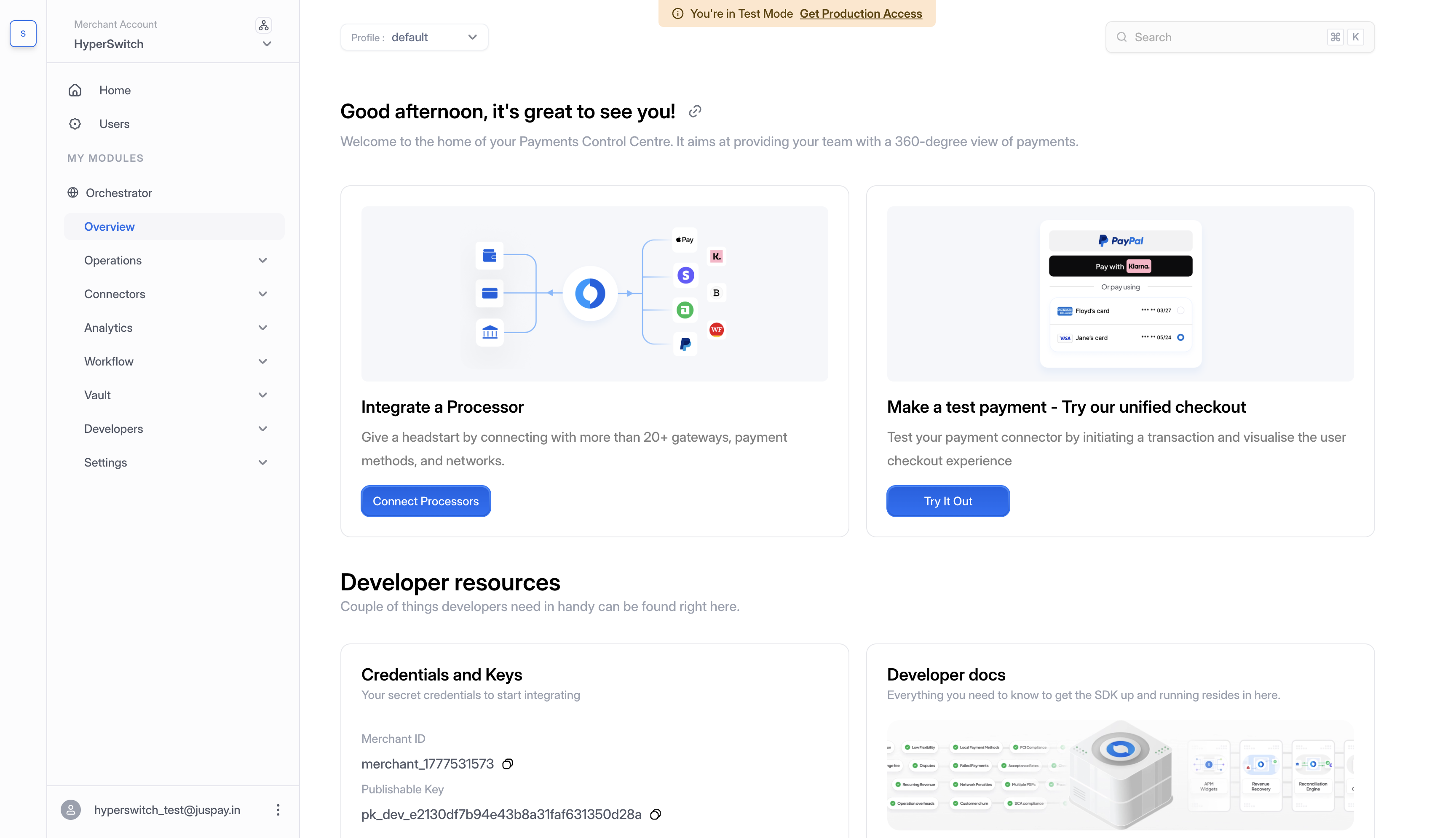
### What You Get By Default
Signing up creates:
* One **Organization** representing your business.
* One **Merchant Account** under the Organization.
* One **Profile** under that merchant account.
* Your user, with the **Organization Admin** role.
Control Centre after sign-up with the default Organization, Merchant Account, and Profile
***
### Structure of a Standard Organization
A Standard Organization follows the standard three-level hierarchy:
* **Organization** at the top, containing one or more merchant accounts.
* **Merchant Account** under the organization, each with its own API keys.
* **Profile** under each merchant, where routing, connectors, webhooks, and return URLs are configured.
For the full hierarchy reference, including how to add merchants and profiles via the dashboard, see [Organization, Merchant Account, and Business Profile](/integration-guide/account-management/multiple-accounts-and-profiles/hyperswitch-account-structure.md).
***
### Resource Scoping
Customers and saved payment methods in a Standard Organization are scoped at the **merchant** level:
* All profiles under the same merchant account share customer and payment-method data.
* Different merchant accounts in the same Organization are isolated. A customer or saved card on Merchant A is not visible from Merchant B.
* API keys are issued per merchant account.
* Connectors and routing are configured per profile.
If you later need cross-merchant sharing of customers and saved payment methods (for a marketplace or platform model), you'll need to convert to a Platform Organization. See [Pick the Right Setup for Your Business](/integration-guide/account-management/multiple-accounts-and-profiles/pick-the-right-setup.md).
***
### Managing the Organization
Everything in a Standard Organization is administered from the Control Centre dashboard, governed by user roles:
* Create additional merchant accounts and profiles.
* Connect payment processors per profile.
* Generate and manage API keys for each merchant.
* Invite team members and grant roles at the org, merchant, or profile level.
For role-based access details, see [Manage Your Team](/integration-guide/account-management/manage-your-team.md).
***
### Next Steps
* Run your first payment: [Quick Start: Make a Payment](https://docs.hyperswitch.io/integration-guide/account-management/multiple-accounts-and-profiles/pages/lis1Nz0bYzQlSXh598Ff#5.-make-a-payment).
* Understand the Org / Merchant / Profile hierarchy in depth: [Organization, Merchant Account, and Business Profile](/integration-guide/account-management/multiple-accounts-and-profiles/hyperswitch-account-structure.md).
* Considering a Platform setup instead: [Pick the Right Setup for Your Business](/integration-guide/account-management/multiple-accounts-and-profiles/pick-the-right-setup.md).
---
# Agent Instructions
This documentation is published with GitBook. GitBook is the documentation platform designed so that both humans and AI agents can read, navigate, and reason over technical content effectively. Learn more at gitbook.com.
## Querying This Documentation
If you need additional information that is not directly available in this page, you can query the documentation by asking a question.
Perform an HTTP GET request on the following URL with the `ask` and `goal` query parameters:
```
GET https://docs.hyperswitch.io/integration-guide/account-management/multiple-accounts-and-profiles/standard-organization.md?ask=&goal=
```
`ask` is the immediate question: it should be specific, self-contained, and written in natural language.
`goal` is what the user is ultimately trying to achieve, the reason they need the answer. Sharing it helps GitBook give you a better, more relevant answer. A goal is most helpful when it describes the outcome the user wants rather than restating the question. For example, with `ask=how do I create an API token`, a goal like `automate deployments from our CI pipeline` lets GitBook tailor the answer to that use case.
The response will contain a direct answer to the question and relevant excerpts and sources from the documentation.
Use this mechanism when the answer is not explicitly present in the current page, you need clarification or additional context, or you want to retrieve related documentation sections.