Sharing Customers and Payment Methods

How customers and saved payment methods are shared across Connected Merchants in a Platform Organization.

In a Platform Organization, customers and saved payment methods can be shared across all Connected Merchants. A customer created on one Connected Merchant is visible to every other Connected Merchant in the org, and a card saved against that customer becomes available to all of them. This page walks through how the sharing works end to end.

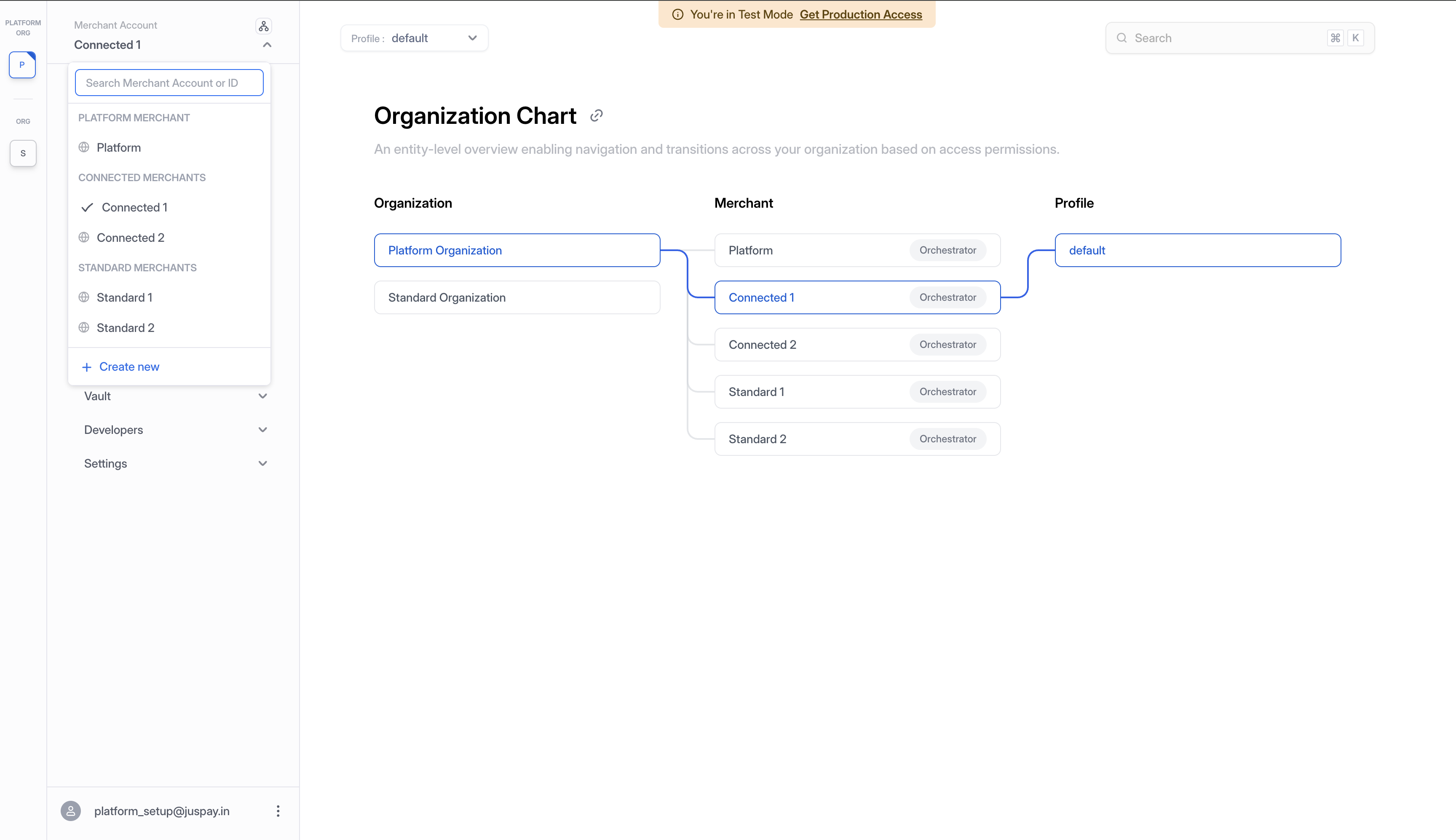
The walkthrough below uses a concrete example hierarchy. Connected Merchants are merchants onboarded by the platform that share customers and payment methods across the connected group. Standard Merchants under the same organization operate in isolation.

Before starting, ensure you have already configured your Platform Organization along with its Connected and Standard Merchants. If you have not, see Setting Up a Platform Organization first.


The Example Hierarchy

We'll use a single example hierarchy throughout:

  • Platform Organization containing:

    • Platform Merchant: the managing entity

    • Connected Merchant 1 and Connected Merchant 2: share customers and payment methods

    • Standard Merchant 1 and Standard Merchant 2: operate in isolation

Organization Chart showing Platform Organization with Platform Merchant, Connected Merchant 1, Connected Merchant 2, Standard Merchant 1, and Standard Merchant 2
Organization Chart showing the full platform hierarchy with all merchant types
Merchant
Customer Scope
Payment Method Scope

Platform Merchant

Owns the shared pool

Owns the shared pool

Connected Merchant 1

Reads and writes to the shared pool

Reads and writes to the shared pool

Connected Merchant 2

Reads and writes to the shared pool

Reads and writes to the shared pool

Standard Merchant 1

Isolated to this merchant only

Isolated to this merchant only

Standard Merchant 2

Isolated to this merchant only

Isolated to this merchant only


Generate API Keys and Configure Connectors for Each Connected Merchant

Before any payments can be processed, every Connected Merchant needs at least one connector configured under one of its profiles. Connectors are configured per profile under each merchant. Each Connected Merchant runs payments through its own processor credentials configured in that profile.

Two Ways to Authenticate Connector Configuration in Platform Setup

A connector for a Connected Merchant can be configured using either:

  • The Connected Merchant's own API key. It can be generated by the Connected Merchant via the dashboard, or programmatically by the Platform Merchant using the Platform API Key (see API Key Create).

  • The Platform API Key directly. The platform configures the connector on behalf of the Connected Merchant. See Connector Setup for the API flow.

Either path lands the connector under the correct Connected Merchant context.

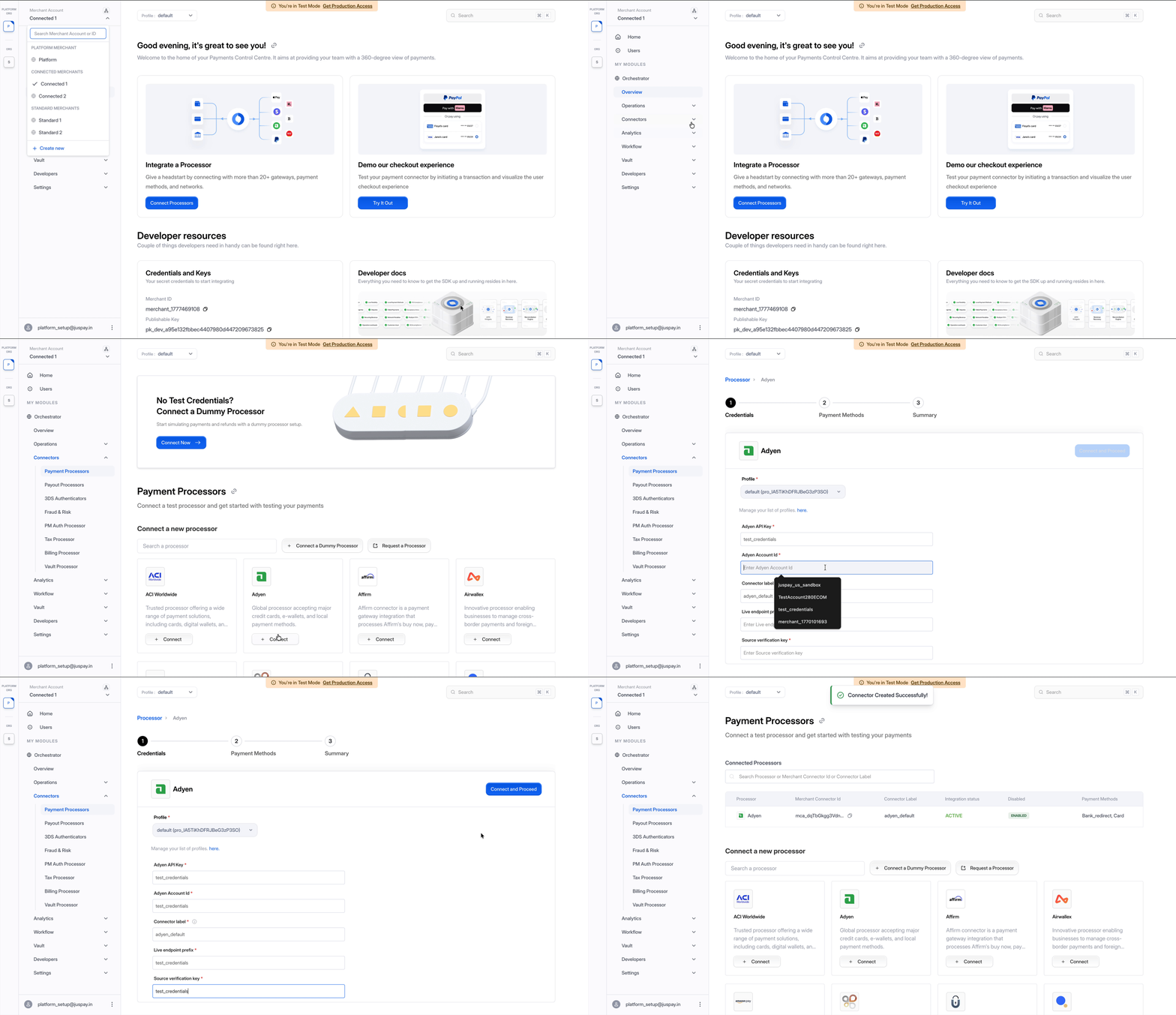
1. Switch to Connected Merchant 1

From the sidebar merchant dropdown, select Connected Merchant 1 under the CONNECTED MERCHANTS section. The dashboard updates to that merchant's context.

2. Add a Connector

Navigate to Connectors from the sidebar and add the processor of your choice. Fill in the connector credentials and save.

Adding a connector for Connected Merchant 1
Configuring a payment processor for Connected Merchant 1
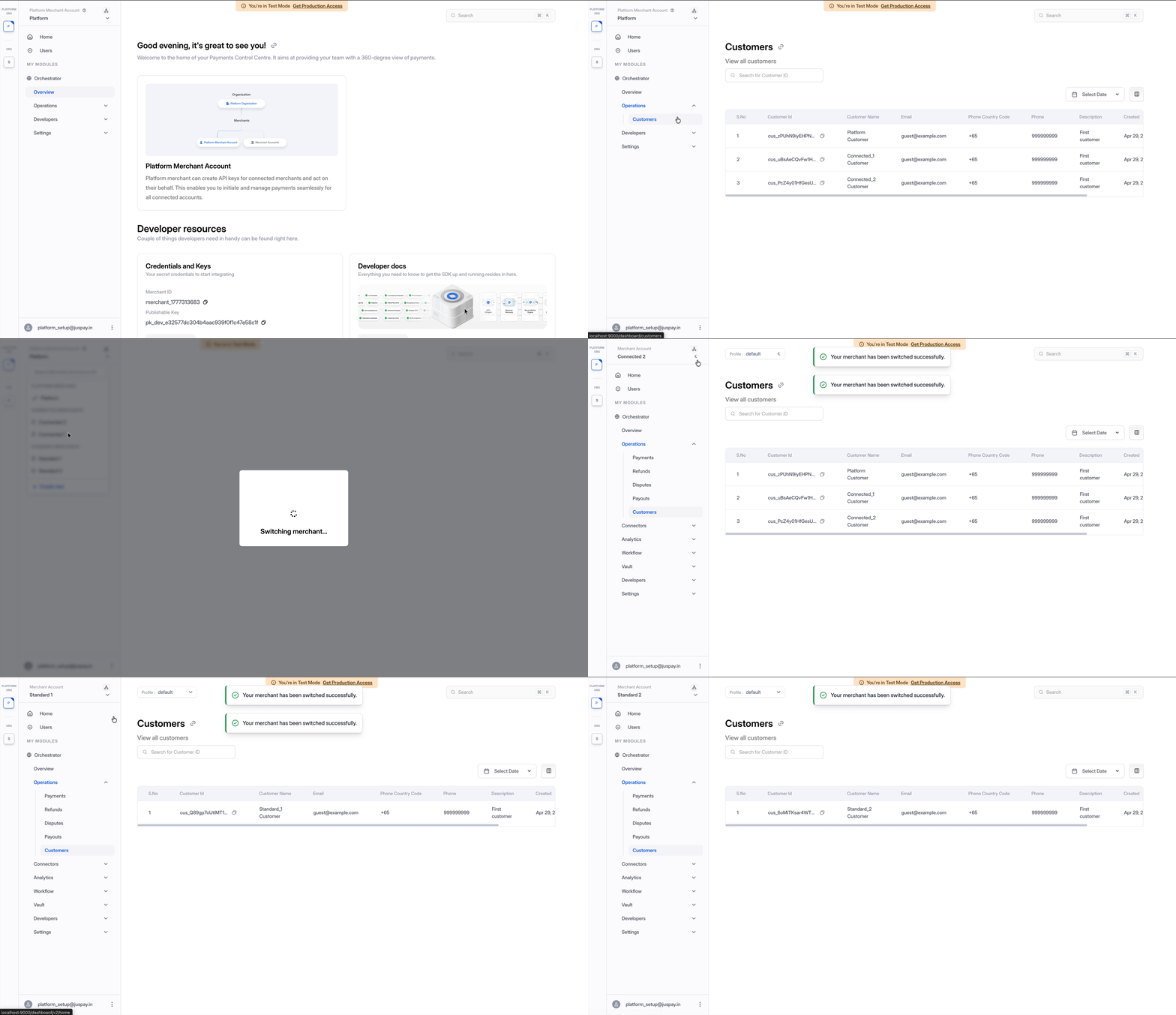
3. Repeat for Connected Merchant 2

Switch to Connected Merchant 2 in the sidebar and add a connector following the same steps.


The Shared Customer Pool

Within a Platform Organization, customers created on any Connected Merchant (or directly via the Platform Merchant) are stored in a single shared customer pool. Every Connected Merchant in the org reads and writes from this same pool, so a customer record is reusable across the connected group without any duplication.

Standard Merchants do not participate in the shared pool. Each Standard Merchant maintains its own isolated set of customers.

Shared customer pool visible to Platform Merchant, Connected Merchant 1, and Connected Merchant 2, with Standard Merchants isolated
Shared customer pool across Connected Merchants, with Standard Merchants maintaining isolated customers
The same model applies to payment methods. A card or wallet saved against a customer in the shared pool becomes available to every Connected Merchant for that customer. Payment methods that are connector-agnostic can be shared, so a card saved while running through one connector can be reused by another Connected Merchant even when that merchant uses a different connector.

Creating a Customer via the API

Customers can be created via the customers endpoint.

The API key used to make the call determines where the customer is stored:

API Key Used
Customer Is Stored In

Platform API Key

Shared customer pool, visible to every Connected Merchant in the org

Connected Merchant API Key

Shared customer pool (same as above)

Standard Merchant API Key

That Standard Merchant's isolated scope only

Customers created with either the Platform API Key or any Connected Merchant API Key all land in the same shared pool. Customers created with a Standard Merchant API Key remain isolated to that Standard Merchant.


Save a Card While Making a Payment in Connected Merchant 1

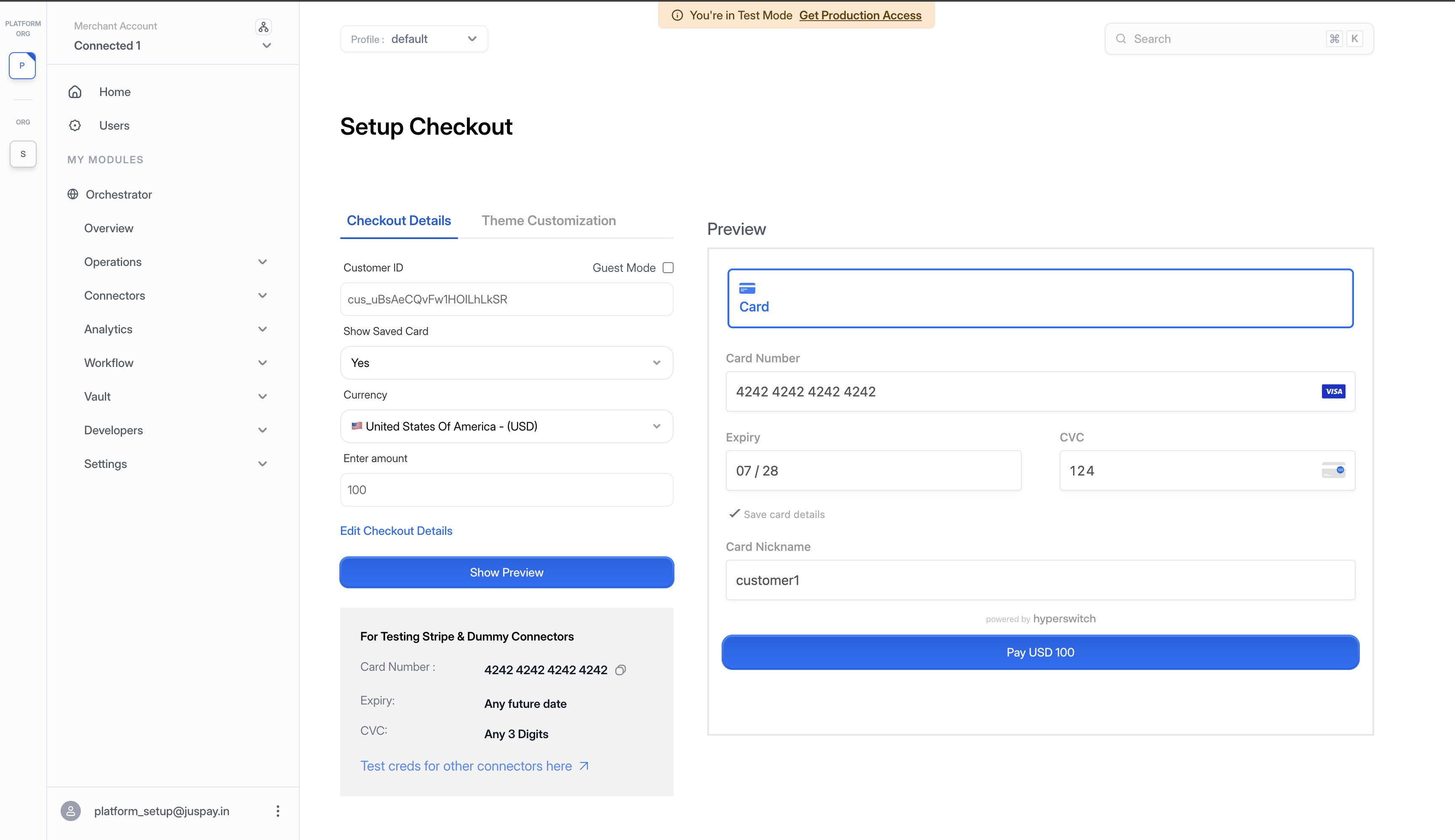
Create a payment in Connected Merchant 1 and save the card during checkout. The card will be stored against the customer in the shared pool.

1. Switch to Connected Merchant 1

Use the sidebar merchant dropdown to switch context to Connected Merchant 1.

2. Create a New Payment

Navigate to Payments and click Create a Payment. Choose an existing customer from the shared pool, or create a new one (it will land in the shared pool automatically).

Setup Checkout on Connected Merchant 1 with customer ID from shared pool, Save card checked, and card details entered
Setup Checkout on Connected Merchant 1 with a shared pool customer and "Save card" enabled
3. Pay and Save the Card

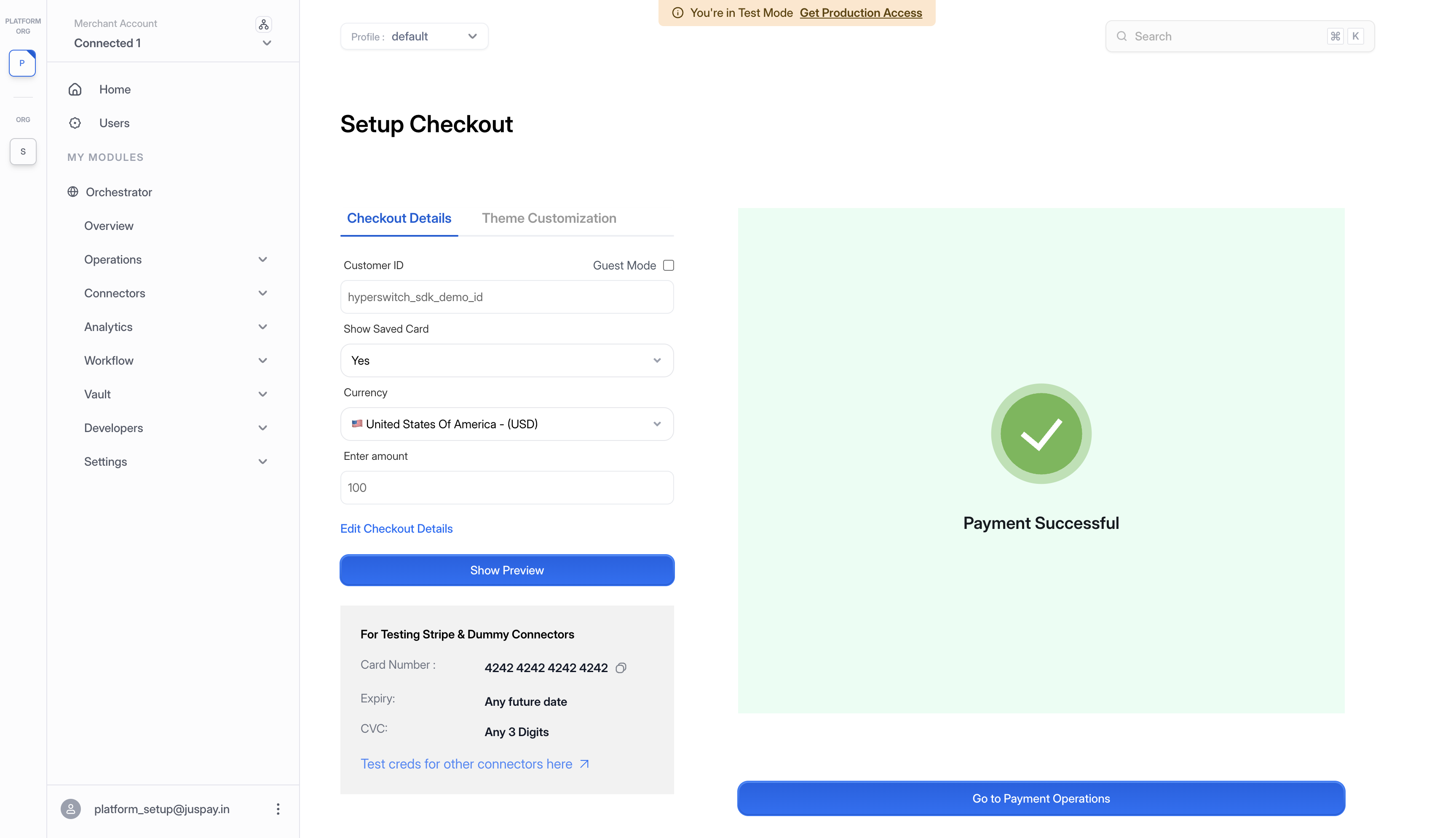
During checkout, enter the card details and select the Save card for future payments option. Complete the payment.

Payment Successful screen on Connected Merchant 1 after saving card
Payment completed successfully on Connected Merchant 1 with card saved
Reuse the Saved Card in Connected Merchant 2

When Connected Merchant 2 starts a payment for the same customer, the saved card from Connected Merchant 1 appears automatically because both merchants read from the shared pool.

1. Switch to Connected Merchant 2

From the sidebar merchant dropdown, select Connected Merchant 2.

2. Create a New Payment for the Same Customer

Navigate to Payments and click Create a Payment. Pass the same customer ID used in the previous section so the payment is associated with that customer in the shared pool.

3. Choose the Saved Card

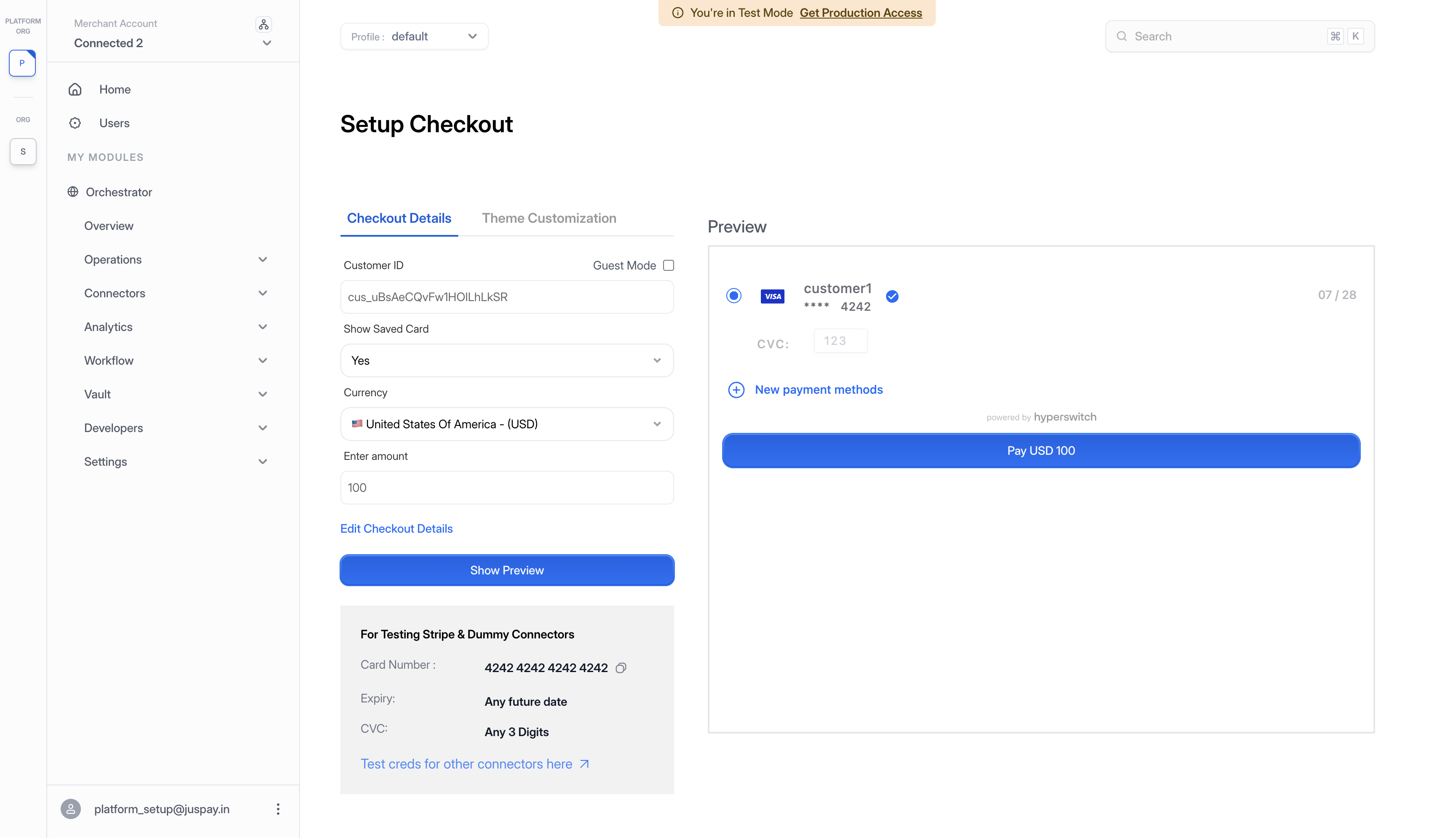
In the payment method selection, the card saved earlier in Connected Merchant 1 appears in the customer's saved methods. Select it to use for this payment.

Setup Checkout on Connected Merchant 2 showing the saved card from Connected Merchant 1 available for reuse
Connected Merchant 2 checkout showing the saved card from Connected Merchant 1 via the shared pool

4. Complete the Payment

Complete the payment with the saved card. The transaction processes through Connected Merchant 2's connector credentials while reusing the payment method from the shared pool.

The customer record and saved card live in the shared pool, but each payment is still attributed to the merchant that initiated it. Connected Merchant 1 and Connected Merchant 2 each see their own payments in their own dashboards. Sharing applies to the customer and payment method only.


Next Steps

The Platform Merchant can also initiate operations directly on behalf of a Connected Merchant using the Platform API Key. See On-Behalf-of Operations.

Last updated

Was this helpful?